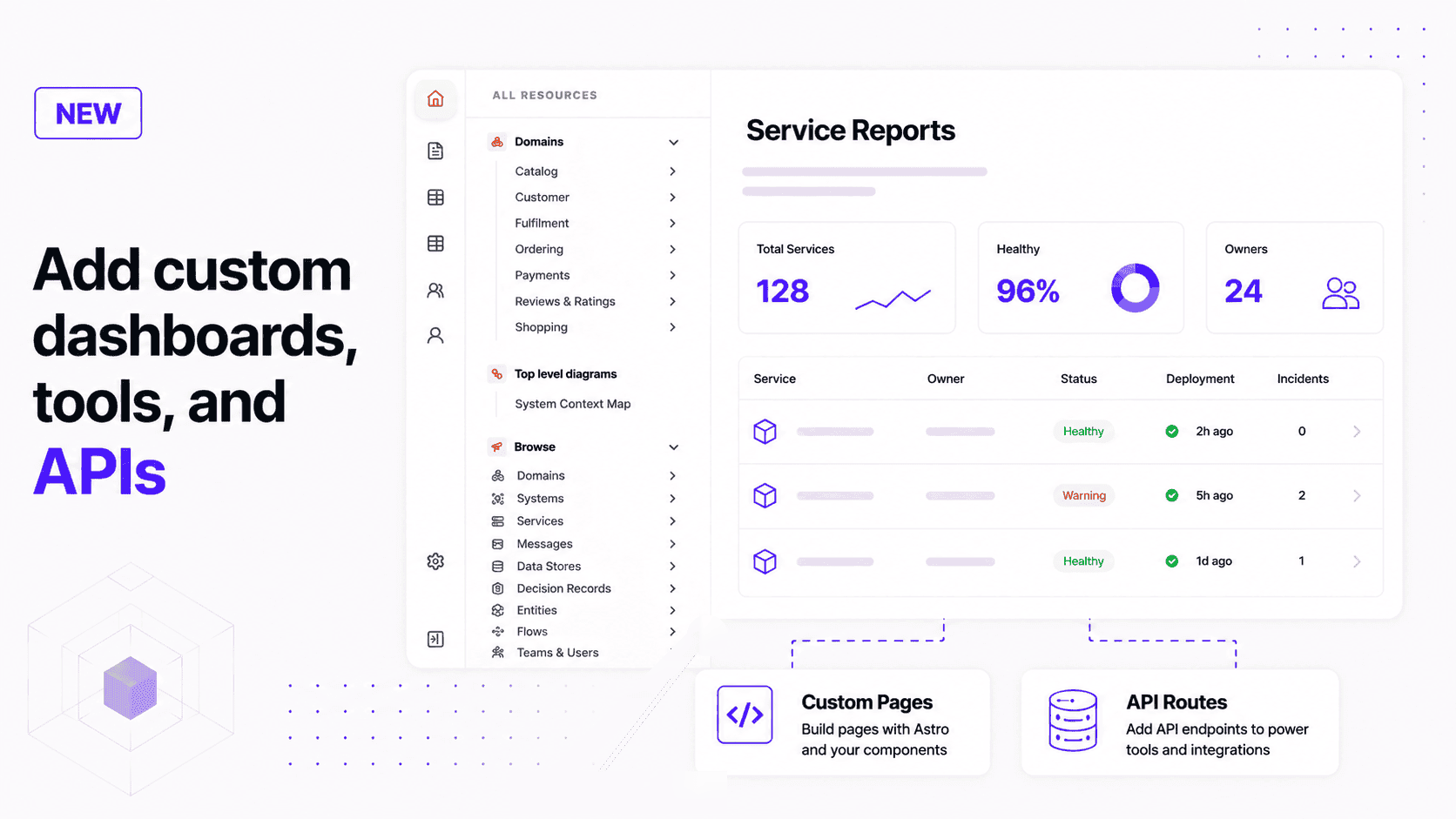
EventCatalog now supports custom pages and API routes, so teams can build their own catalog tools, dashboards, workflows, and API-backed pages.
Every architecture catalog starts with the same goal: help people understand the systems they work with.
But every organization eventually needs pages that are specific to how it works. A platform team might need service scorecards. An architecture team might need review workflows. An engineering team might want a page that combines ownership, deployment state, incidents, and catalog data in one place.
Custom pages and API routes let you build those experiences inside EventCatalog.
What we're announcing
EventCatalog now supports custom pages and API routes.
You can create pages in your catalog using Astro and serve them alongside the rest of your EventCatalog. You can also add API routes for server-side logic, form submissions, catalog data, or integrations with internal systems.
The goal is simple: create any page you need, inside the catalog your teams already use.
This feature is available from @eventcatalog/core@4.1.1.
Why this matters
EventCatalog already gives you structured pages for domains, systems, services, messages, schemas, teams, flows, and architecture diagrams.
That structure matters because architecture documentation should not become a pile of disconnected pages. The built-in views give your catalog a model that teams can trust.
But not every useful page fits into a predefined resource type.
Sometimes you need a page for:
- a platform dashboard
- a service review workflow
- a migration tracker
- a team onboarding journey
- a schema governance report
- a service scorecard
- a deployment or incident view
Before this, teams often had to send users somewhere else for those workflows. Now you can keep those experiences close to the architecture context.
What you can use it for
Custom pages can be static pages built from catalog data.
For example, you can build a page that lists all services, groups them by owner, and links to each service's documentation.
Custom pages can also use your own components. If your team has a reusable card, table, report, or status component, you can keep it in your catalog and render it from your custom page.
API routes make the feature more useful when the page needs server-side behavior.
For example, you can:
- expose selected catalog data as JSON
- receive a form submission from a custom workflow
- proxy data from an internal platform
- fetch service health from an observability tool
- combine EventCatalog data with deployment, ownership, or incident data
This means your catalog can be more than a place to read documentation. It can become a place to build small, focused architecture tools.
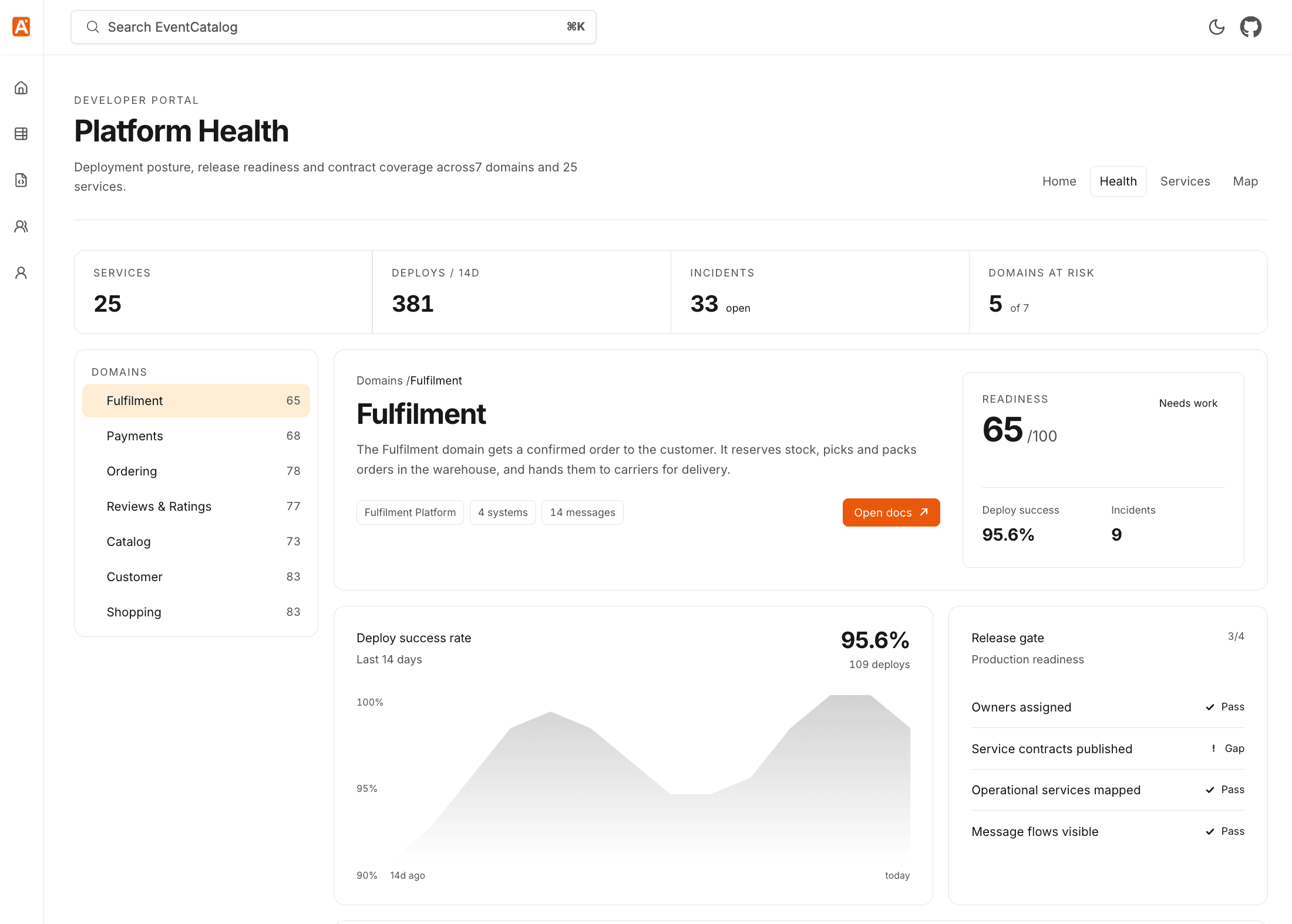
For example, you can create a dynamic platform health page that combines catalog structure with operational data, release readiness, domain risk, and links back into the relevant documentation.
How it works
Custom pages live in a top-level pages directory in your catalog.
For example, this file:
pages/reports.astro
is served at:
http://localhost:3000/custom/reports
Here is a small custom page that reads services from the catalog.
---
// Use the EventCatalog layout so your page keeps the catalog header and sidebar.
import Layout from '@catalog/layouts/Layout.astro';

// Use @catalog/utils to read catalog resources from your custom page.
import { getServices } from '@catalog/utils';

const services = await getServices({ getAllVersions: false });
---

<Layout title="Service reports" description="Operational views built from catalog data.">
  <div class="not-prose space-y-6">
    <div>
      <h1 class="text-3xl font-semibold">Service reports</h1>
      <p class="text-gray-600">There are {services.length} services in this catalog.</p>
    </div>

    <ul class="grid gap-3 md:grid-cols-2">
      {services.map((service) => (
        <li class="rounded-lg border border-gray-200 p-4">
          <h2 class="font-semibold">{service.data.name}</h2>
          <p class="text-sm text-gray-600">{service.data.summary}</p>
        </li>
      ))}
    </ul>
  </div>
</Layout>
You can also add the page to your application sidebar.
export default {
  navigation: {
    groups: [
      {
        id: 'tools',
        label: 'Tools',
        items: [
          {
            id: 'service-reports',
            label: 'Service reports',
            icon: 'ChartBar',
            href: '/custom/reports',
            match: ['/custom/reports'],
          },
        ],
      },
    ],
  },
};
This gives users a normal navigation path to the page instead of expecting them to remember the URL.
API routes
Custom API routes live in pages/api.
For example, this file:
pages/api/services.ts
is served at:
http://localhost:3000/custom/api/services
API routes require EventCatalog to run in server mode for production builds.
export default {
  output: 'server',
};
Here is a simple API route that returns catalog services as JSON.
import type { APIRoute } from 'astro';
import { getServices } from '@catalog/utils';

export const GET: APIRoute = async () => {
  const services = await getServices({ getAllVersions: false });

  return Response.json({
    services: services.map((service) => ({
      id: service.data.id,
      name: service.data.name,
      version: service.data.version,
    })),
  });
};
That endpoint can power a custom page, an internal workflow, or another tool that needs a small slice of catalog data.
How to get started
Create a pages directory in your catalog.
Add a page:
pages/reports.astro
Run EventCatalog:
npm run dev
Open:
http://localhost:3000/custom/reports
If you want to add API routes, enable server mode:
export default {
  output: 'server',
};
Then add your endpoint:
pages/api/services.ts
Read the full documentation here: Custom pages and API routes.
Use the EventCatalog skill
If you use AI coding agents, you can also use the EventCatalog skills repository to help create custom pages and API routes.
The skill is called custom-pages-and-apis. It gives your agent the EventCatalog conventions for page structure, API routes, routing prefixes, sidebar links, and the stable @catalog/* imports.
Install it from the skills repository:
npx skills add event-catalog/skills --skill custom-pages-and-apis
Then ask your agent for the page you need:
Use the custom-pages-and-apis skill to create a service reports page at /custom/reports.
Read services from @catalog/utils and add the page to the application sidebar.
Or ask for an API-backed workflow:
Use the custom-pages-and-apis skill to create an API route that returns latest services as JSON,
then create a custom page that fetches from that API route.
This is useful when you know the experience you want, but do not want to remember every EventCatalog and Astro convention by hand.
Summary
Custom pages and API routes give teams a way to build the catalog experiences that only make sense inside their organization.
You can create static pages, API-backed pages, dashboards, internal tools, review workflows, and integrations with other systems. You can also add those pages to the EventCatalog application sidebar so they feel like part of the catalog, not something bolted on.
Read the custom pages and API routes documentation to get started.
If you try this and have feedback, join us on Discord. If you find a bug or want to contribute, open an issue or pull request on GitHub.