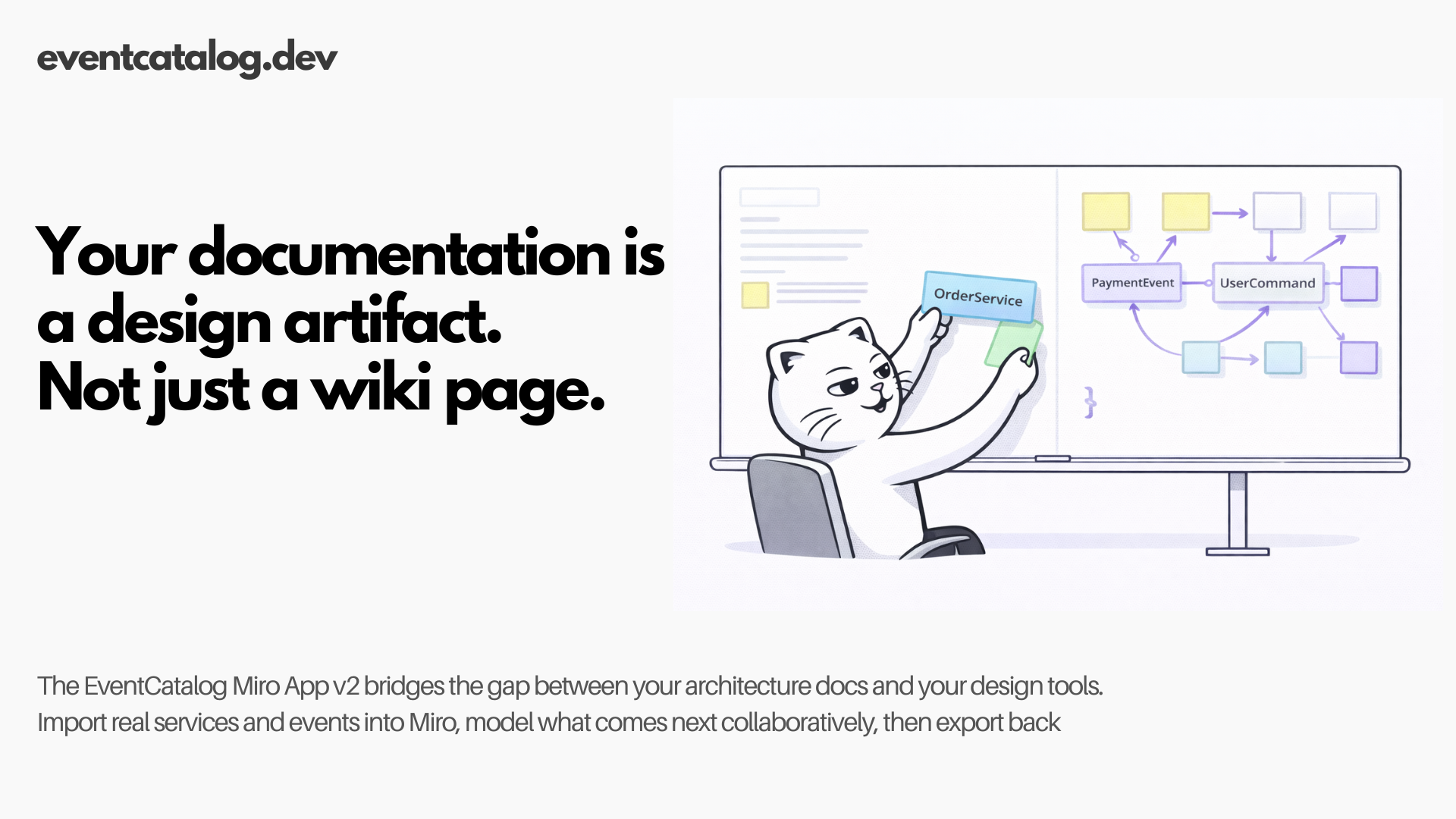
The EventCatalog Miro App v2 turns your architecture documentation into interactive, collaborative design artifacts — and sends them back when you're done.
Every team I've talked to has the same problem. The architecture lives in one place and the diagrams live in another. The documentation is accurate as of six months ago. The Miro board from the last event storming session doesn't match what's actually running.
Today I'm releasing the EventCatalog Miro App v2, a Miro app that turns your EventCatalog documentation into interactive, collaborative design artifacts — and brings your design decisions back into the catalog when you're done.
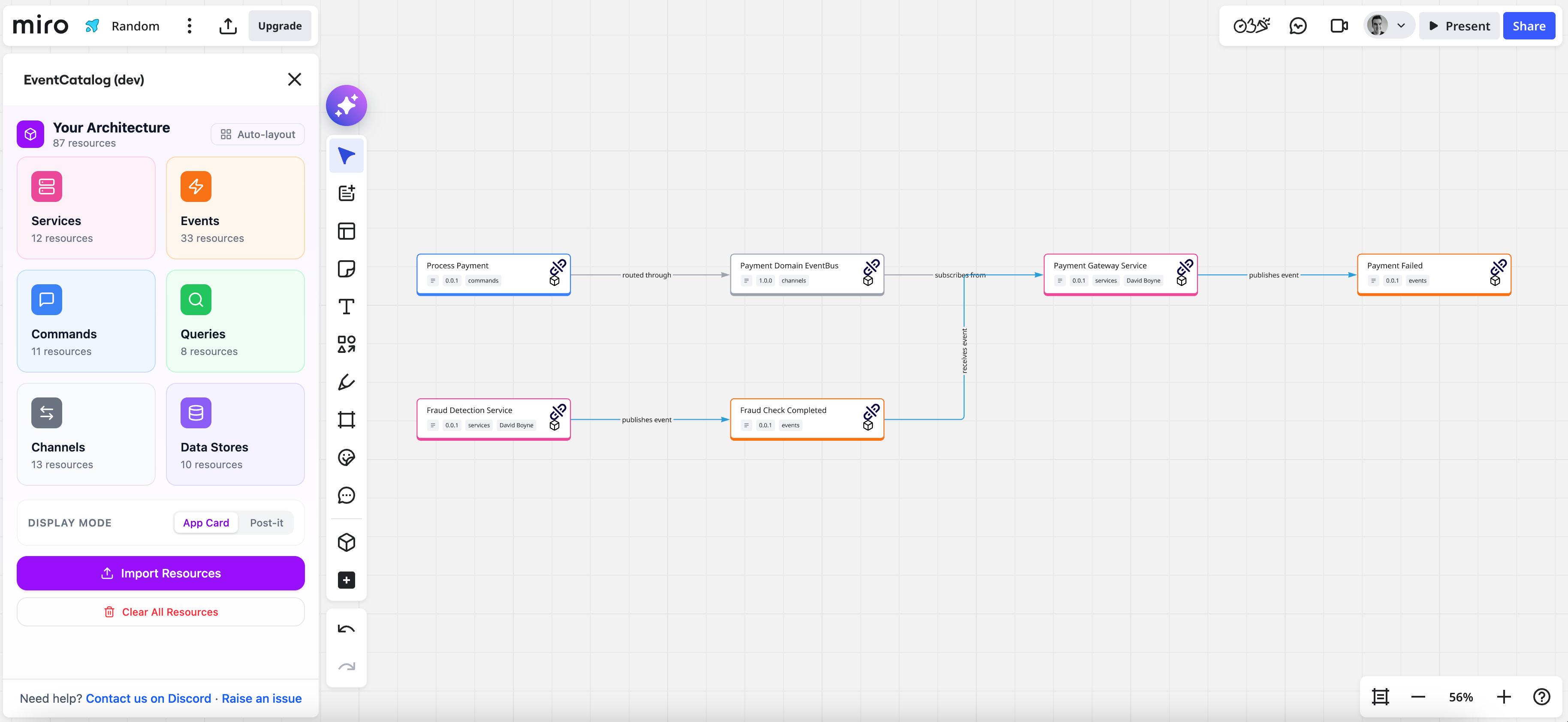 Your real architecture, imported into Miro with relationships intact
The problem
Teams do event storming in Miro, event modeling in Miro, domain modeling in Miro, architecture reviews in Miro. But the design work happens in isolation from the actual documented architecture. You sketch what you think exists, not what actually exists. Then someone has to reconcile the diagram with the docs, and that job usually falls through the cracks.
The v1 Miro integration embedded Miro boards into EventCatalog doc pages. It was useful, but it was one-way: your board lived in Miro and you linked to it from a doc. V2 flips the direction. Your documented architecture flows into Miro, you design on top of real data, and the results flow back out.
What's new
The EventCatalog Miro App v2 is a native Miro marketplace app. It runs entirely in the browser, requires no server and no API keys, and gives you a panel inside Miro where you can browse, search, and drag your full catalog onto the board.
Services, events, commands, queries, channels, and data stores all come in with their relationships intact. You see the real names, versions, owners, and summaries — not stale copies from a spreadsheet.
 The EventCatalog panel lives in your Miro toolbar, always accessible
When you'd use it
This is for any team that uses Miro for architecture modeling and EventCatalog for documentation. If you're running an event storming, event modeling, or domain modeling session, planning a new feature, reviewing an existing service, or onboarding someone to a complex domain, the Miro App gives you a single place to do all of it against your real, documented architecture.
How it works
Import your architecture
Start by exporting a JSON snapshot from EventCatalog and importing it into the Miro App. This loads all your resources into the panel so you can browse and search them without leaving Miro.
Drag resources onto the board
Browse by category (services, events, commands, queries, channels, data stores) or use the search. Drag any resource onto the board and it appears as a card with its name, version, summary, and owners.
 Browse your catalog in the panel and drag resources directly onto the board
Two display modes: App Cards and Post-its
Resources render in one of two modes. App Cards show rich detail — version, owners, status badges, and a link back to the EventCatalog page. Post-it notes give you a compact, high-level view for when you need to think at a higher altitude. You can switch modes at any time and existing items convert automatically.
 App Card mode shows version, owners, and status — everything you need to make decisions
 Post-it mode keeps things compact when you're working at a higher level of abstraction
Drag a service with its full dependency graph
When you drag a service onto the board, you can toggle whether to bring its complete dependency graph with it: the messages it publishes and consumes, the channels it uses, the data stores it reads and writes, and the related services it interacts with.
 Toggle to bring the full dependency graph — messages, channels, data stores, and related services
This is genuinely useful for onboarding engineers to a complex service, running impact analysis before a change, or understanding the blast radius of a breaking event schema update. The whole picture lands on the board in one drag.
Smart connectors that label themselves
Draw a connection between two resources and the app reads the resource types to decide the label. Connecting a service to an event? It labels the arrow "publishes event." Connecting to a data store? "writes to." Connectors are color-coded and directional so the diagram reads clearly.
 Connectors label themselves based on the types of resources you connect
Create new resources on the board
Design services and events that don't exist yet. New resources are marked as drafts, visually distinct from imported resources, so it's clear what's real and what's proposed. Edit names, versions, and summaries inline without leaving the board.
 Edit resource details inline — name, version, summary — without leaving the board
 New resources are marked as drafts so they're visually distinct from your existing architecture
Navigate by following message flows
Click a connected resource to zoom to it and follow the flow. Connections highlight in purple. Auto-layout produces clean directed graphs for any subgraph you select. The crosshair button locates any resource on the board if you've lost it in a large diagram.
 Click connected resources to zoom and follow flows — connections highlight in purple
Export back to EventCatalog with AI
This is the round-trip that makes the whole thing worth it.
When your design session is done, click Export to JSON in the app. This downloads a miro-board-export.json containing everything on the board — resources, connections, positions, and labels. Feed that JSON to an AI agent (Claude, Cursor, Windsurf) with the EventCatalog Skills loaded, and the agent generates proper documentation files: MDX with correct frontmatter, folder structure, relationship references, and version numbers. Review the output, commit via PR, and your catalog reflects what the team just designed.
Your Miro board was never just a diagram. It was the design work. Now it becomes the documentation too.
Works with AsyncAPI, OpenAPI, and schema registries
If your architecture is already described in specs, you can generate your EventCatalog from them and then bring everything into Miro. The app works with AsyncAPI, OpenAPI, and any of the supported schema registries: Confluent, AWS Glue, EventBridge, Apicurio, Azure Schema Registry, and GitHub.
Getting started
Install the app directly from the EventCatalog Miro App install page. Once installed, open a board, click the EventCatalog icon in the toolbar, and import your catalog JSON. Full instructions are in the Miro App documentation.
The app is open source at github.com/event-catalog/eventcatalog-miro-app. Everything runs in the browser. No server, no API keys, data stored in browser local storage.
The app is currently in beta. If something doesn't work or you want a feature that isn't there yet, open an issue or let me know in Discord.
Summary
V1 embedded Miro boards into EventCatalog docs. V2 brings EventCatalog into Miro, with a full round-trip: real architecture in, collaborative design out, and AI to write the documentation when you're done.
If you've ever run an event storming, event modeling, or domain modeling session and watched the output drift away from reality over the following months, this is the fix. Your design artifacts and your documentation are now the same thing.
Read the full Miro App documentation to get set up. If you have questions or feedback, join the conversation in Discord or open an issue on GitHub.