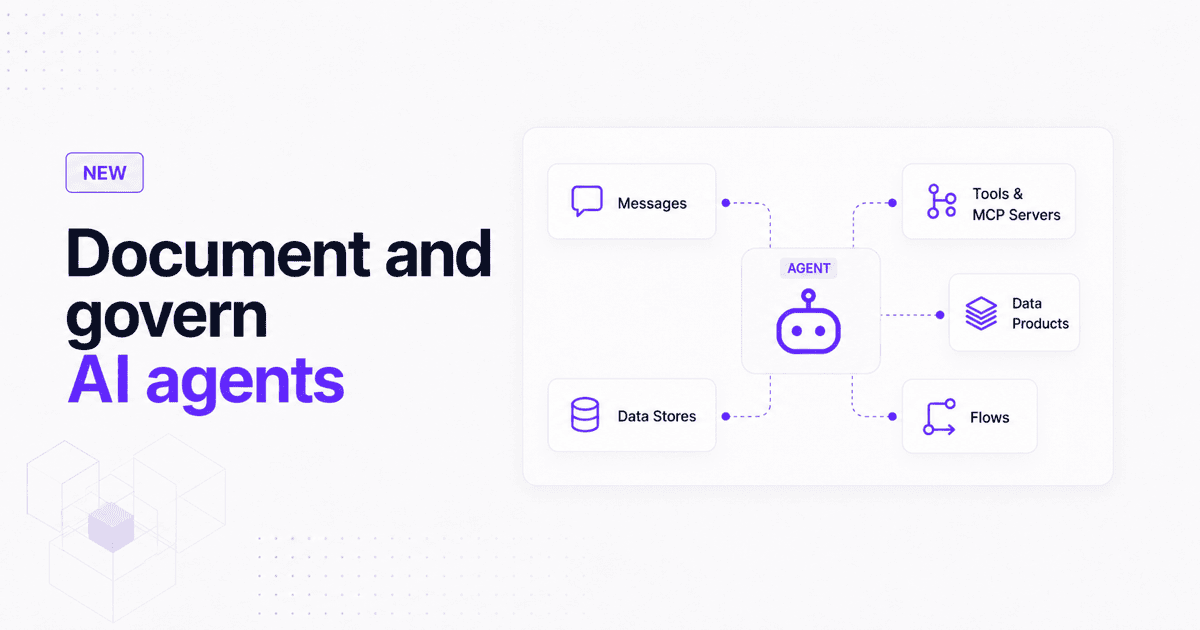
EventCatalog 3.41.0 adds first-class agent documentation so teams can reduce agent sprawl, track ownership, see model and tool usage, and understand how agents consume and produce information across their architecture.
More teams are moving AI agents from demos into real systems. Agents are reviewing payments, answering support questions, querying internal data, calling MCP servers, creating tickets, summarizing incidents, and producing work that downstream systems depend on.
That changes the architecture. If an agent consumes information, calls tools, writes data, or produces artifacts, it needs to be visible in the same place as the rest of your system.
EventCatalog 3.41.0 adds first-class agent documentation. You can now document agents alongside your domains, services, events, commands, data stores, tools, and flows.
The problem: agent sprawl is coming
Most companies are not going to have one agent. They are going to have many.
One team adds a support agent. Another adds a fraud review agent. Another adds an internal architecture assistant, a deployment helper, a data quality reviewer, or an incident summary agent.
That growth is useful, but it creates a new kind of sprawl. Teams need to answer basic questions that are surprisingly hard when agents only exist in source code, prompts, vendor dashboards, or scattered runbooks.
Which agents do we have? Who owns them? Which models are they using? Which tools can they call? Which events or commands trigger them? Which databases, indexes, or read models do they depend on?
Without those answers, agents become invisible architecture. They influence the system, but they are hard to discover, review, govern, or reason about.
What is new in 3.41.0
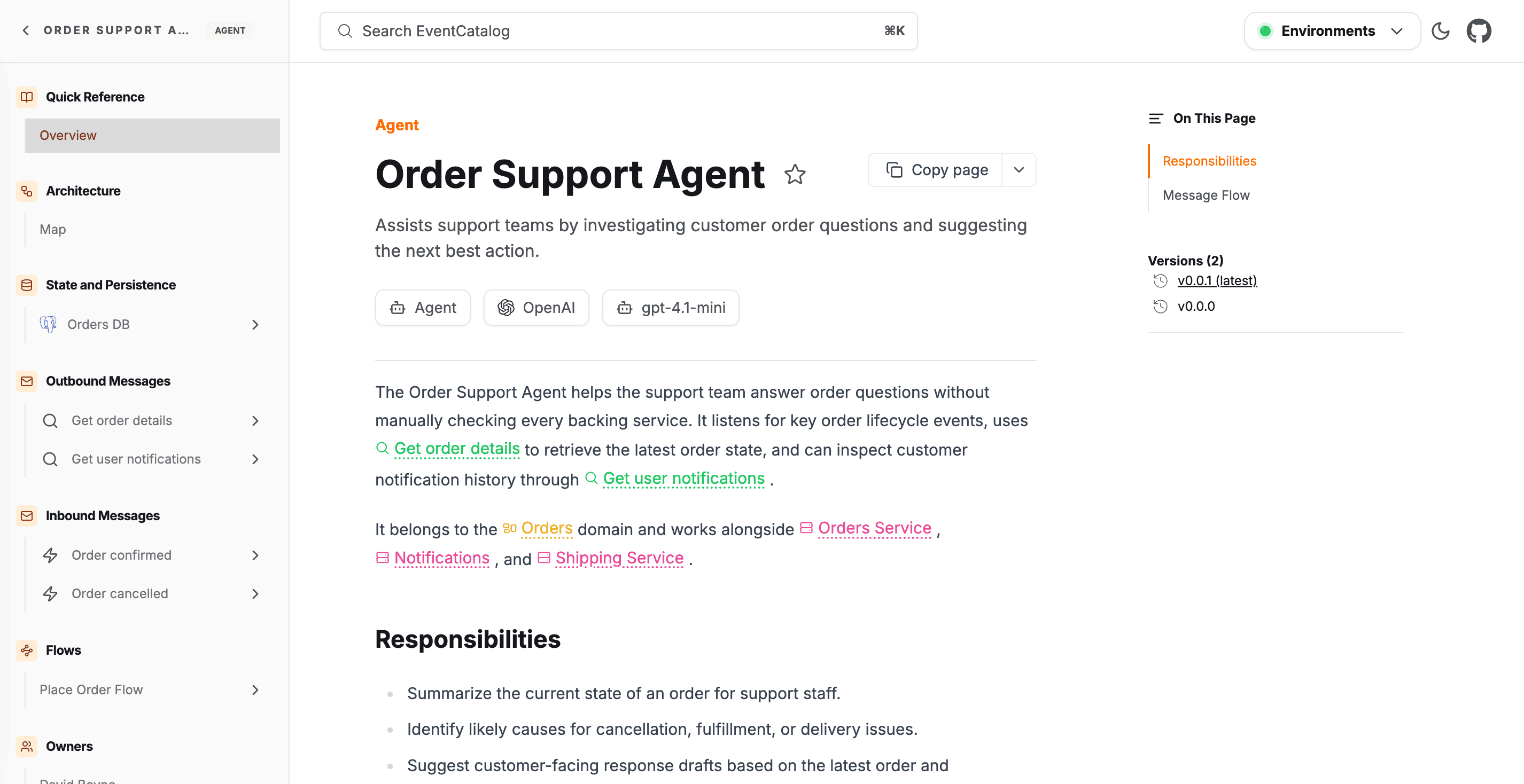
Agents are now a first-class resource in EventCatalog. Each agent gets its own MDX page, frontmatter API, sidebar entry, search result, discover page result, visualizer node, ownership metadata, and version history.
This gives your team a structured way to describe what an agent does and how it fits into the wider architecture.
You can document:
- Ownership: users and teams responsible for the agent.
- Models: provider, model name, and version or snapshot.
- Tools: MCP servers, APIs, databases, search indexes, and other capabilities the agent can call.
- Messages: events, commands, or queries the agent consumes and produces.
- Data access: data stores the agent reads from or writes to.
- Lifecycle: versions, changelogs, and deprecation status.
- Architecture context: domains and flows where the agent participates.
The point is not to create another documentation page for its own sake. The point is to make agents part of the architectural picture your team already trusts.
Why this matters
Agents blur boundaries that used to be clearer. A service usually has code, a deployment pipeline, a runtime, logs, APIs, and ownership. An agent may have prompts, model settings, tools, memory, message subscriptions, background jobs, and human-in-the-loop workflows spread across multiple systems.
That makes documentation more important, not less. If an agent can make decisions or produce output that affects users, engineers need to understand the inputs, tools, owners, and downstream effects.
EventCatalog already helps teams document architecture primitives such as domains, services, messages, data stores, and flows. Adding agents to that same model gives you a more complete view of how information moves through your system.
When you would use it
If your team is building internal agents, document what each agent is responsible for and who owns it. That helps people discover existing agents before building another one.
If an agent uses a model provider, document the model metadata. That gives reviewers context when behavior changes after a model upgrade or snapshot change.
If an agent calls MCP servers, internal APIs, databases, or search indexes, document those tools. That makes the agent's reach visible.
If an agent consumes events or commands, document the messages it receives and sends. That shows where the agent participates in your event-driven architecture.
If an agent is part of a business process, put it in a flow. You can then see the agent alongside services, messages, users, external systems, and data stores.
 Agents appear in the visualizer alongside the resources they depend on (see demo).
How it works
Create an agent by adding an index.mdx file inside an agents directory. Agents can live at the root of your catalog, inside a domain, or inside a subdomain.
---
id: FraudReviewAgent
name: Fraud Review Agent
version: 0.0.1
summary: |
  Reviews risky payments, explains fraud signals, and recommends whether payment processing should continue.

owners:
  - fraud-platform

model:
  provider: OpenAI
  name: gpt-4.1
  version: "2025-04-14"

tools:
  - name: Risk profile lookup
    type: mcp
    icon: /icons/tools/datadog.svg
    url: https://mcp.example.com/fraud/risk-profile
    description: Retrieves transaction anomaly, device fingerprint, and fraud model signals.

receives:
  - id: PaymentInitiated
    version: 0.0.1
    from:
      - id: payments.events

sends:
  - id: FraudReviewCompleted
    version: 0.0.1
    to:
      - id: fraud.events

readsFrom:
  - id: fraud-analytics-db
    version: 0.0.1
---

## Overview

The Fraud Review Agent reviews risky payment attempts before they continue through the payment gateway.

<NodeGraph />

## Tools

<AgentTools />
That one file tells EventCatalog what the agent is, who owns it, which model it uses, which tools it can call, what it consumes, what it produces, and which data it reads.
See what agents can touch
Agent tools are often where the risk and value sit. A tool might let an agent read a customer profile, query a warehouse table, search internal docs, update a support ticket, or call an operational API.
EventCatalog 3.41.0 includes an <AgentTools /> component that renders the tools array from the current agent page. Each tool can include a name, type, icon, URL, and description.
The type field is intentionally flexible. Use mcp for MCP servers, api for HTTP endpoints, database for direct data access, or whatever vocabulary makes sense for your team.
 Use AgentTools to show the external capabilities an agent can call.
Show agents in the architecture
Agents can be attached to domains the same way services can:
---
id: Payment
name: Payment Domain
version: 0.0.1
services:
  - id: PaymentService
    version: 0.0.1
agents:
  - id: FraudReviewAgent
    version: 0.0.1
---
They can also be used as nodes in flows:
steps:
  - id: "fraud_review"
    title: "Fraud Review Agent"
    agent:
      id: "FraudReviewAgent"
      version: "0.0.1"
    next_steps:
      - id: "payment_approved"
        label: "Approved"
      - id: "payment_declined"
        label: "Declined"
This is where the feature becomes more than a page. You can see agents in the visualizer, understand what they are connected to, and follow how information moves between agents, services, messages, tools, and data.
Own, version, and deprecate agents
Agents need lifecycle management too. You can assign owners, create versioned snapshots, maintain changelogs, and deprecate agents when they are replaced.
That matters because an agent can change in ways that are not obvious from a traditional service deployment. A model upgrade, tool change, new prompt, or new message subscription can change behavior enough that teams need a record.
Good reasons to version an agent include upgrading the underlying model, adding or removing a tool, changing the messages it consumes, or changing the data it can access.
Getting started
Upgrade to EventCatalog 3.41.0 or later, then create your first agent page:
npm install @eventcatalog/core@latest
npm run dev
Add /agents/{AgentName}/index.mdx, open localhost:3000, and check the agent in the sidebar, discover page, and visualizer.
Start with the agents guide, then add model metadata, tools, messages, and data stores as your agent becomes part of the wider architecture.
Summary
EventCatalog 3.41.0 gives teams a way to document AI agents as part of their architecture, not as side notes outside it. You can track ownership, models, tools, messages, data access, lifecycle, domains, and flows in one place.
You can create and maintain agents directly in your catalog, use EventCatalog Editor to visually create, edit, and manage your agents, use the EventCatalog SDK when you want to generate and update agent documentation programmatically, or use the EventCatalog skills repo to help AI coding agents create agent documentation that follows EventCatalog conventions.
As more agents appear across your organization, this helps reduce agent sprawl and gives teams a clearer picture of what exists, how it works, and how information flows through the system.
Thanks to the community
A huge thank you to Martijn van der pauw for raising the original RFC: Add agent as a first-class resource type and helping shape this feature. EventCatalog is built by and for the community, and contributions like this are what move the project forward.
Read the agent documentation to try it. Questions and feedback are welcome on Discord, and issues or contributions are welcome on GitHub.