Resource references
eventcatalog@3.6.1Create inline references to resources in your documentation using wiki-style syntax. References render as styled links with interactive tooltips showing resource details.
Basic syntax
Use double square brackets to create a resource reference.
[[type|ResourceName]]
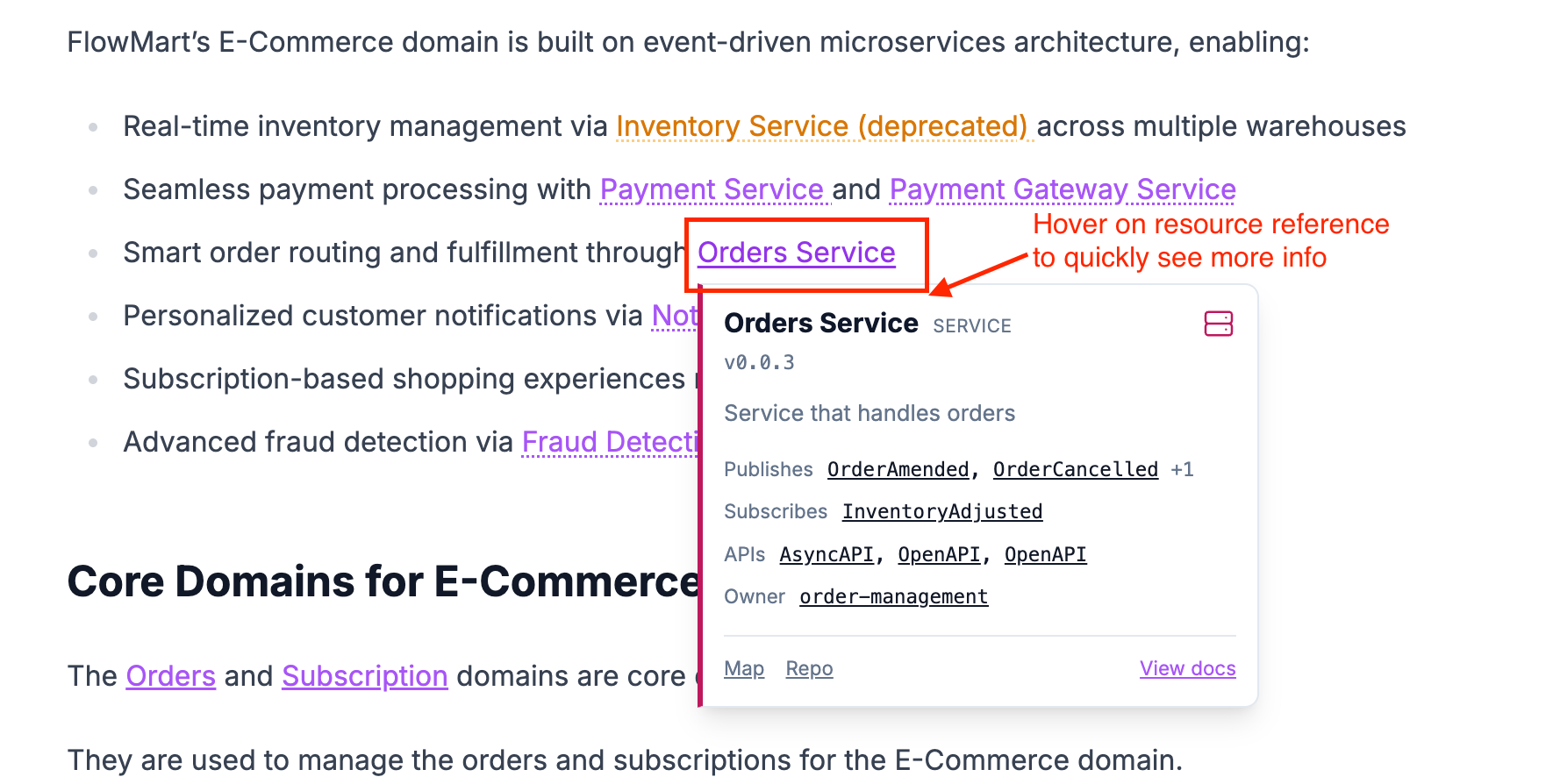
The reference automatically links to the resource and displays a tooltip on hover showing key information like version, summary, and related resources.
Example
---
id: OrdersService
name: Orders Service
version: 0.0.1
summary: |
  Handles all order processing
owners:
  - dboyne
  - msmith
---

The [[service|OrdersService]] handles all order processing and will publish the event [[event|OrderCreated]] when an order is created.
This creates a link to the OrdersService with a tooltip showing service details, published messages, API specifications, and owners.
Supported resource types
Reference any resource type in your catalog.
| Type | Syntax | Links to |
|---|---|---|
| Service | [[service|OrdersService]] | Service documentation |
| Event | [[event|OrderCreated]] | Event documentation |
| Command | [[command|CreateOrder]] | Command documentation |
| Query | [[query|GetOrderStatus]] | Query documentation |
| Domain | [[domain|E-Commerce]] | Domain documentation |
| Flow | [[flow|PaymentFlow]] | Flow documentation |
| Channel | [[channel|OrderChannel]] | Channel documentation |
| Entity | [[entity|Order]] or [[Order]] | Entity documentation |
| Diagram | [[diagram|target-architecture]] | Diagram page |
| Container | [[container|APIGateway]] | Container documentation |
| User | [[user|dboyne]] | User profile |
| Team | [[team|backend-team]] | Team profile |
| Custom doc | [[doc|guides/getting-started]] | Custom documentation page |
Reference custom docs
Link to pages in your custom documentation using path-based identifiers.
[[doc|guides/getting-started]]
[[doc|operations-and-support/runbooks/payment-service-runbook]]
The path matches the file location inside your docs/ directory, relative to the catalog root. Paths are case-insensitive and leading /docs/custom/ prefixes are stripped automatically.
Doc references do not support version pinning since custom documentation pages are not versioned.
Default to entity
Reference entities without specifying the type.
The [[Customer]] entity stores user information.
This defaults to entity type and is equivalent to [[entity|Customer]].
Version pinning
Reference a specific version of a resource.
[[service|OrdersService@1.0.0]]
Without a version, the reference uses the latest version. Pin versions when documenting specific implementations or historical states.
Example
Our legacy [[service|PaymentService@0.9.0]] is being replaced by [[service|PaymentGatewayService]].
Interactive tooltips
Hover over any reference to see detailed information without leaving the page.
Tooltips show different information based on resource type.
Combine with other components
Mix references with other EventCatalog components.
## Architecture

The [[service|OrdersService]] coordinates between inventory and payment:

<NodeGraph id="OrdersService" version="latest" type="service" />
Review references regularly
Regularly audit references to ensure they point to current resources and remove outdated links.