Architecture graph
eventcatalog@4.5.0The architecture graph is a force-directed view of every resource in your catalog and the relationships between them. Unlike the system context map, which needs systems to exist, the architecture graph works for any catalog.
Use this view when you want to answer questions like:
- How does everything in the catalog connect, at a glance?
- What does a domain, system, or team's footprint look like across the architecture?
- How do messages flow between services and agents?
Turn on the graph
The architecture graph is opt-in. Enable it with visualiser.architectureGraph.enabled in your eventcatalog.config.js file.
module.exports = {
  visualiser: {
    architectureGraph: {
      enabled: true,
    },
  },
};
Once enabled, an Architecture Graph link appears in the Top level diagrams navigation group, and the graph is available at:
/visualiser/graph
Building a graph of the whole catalog is unproven on very large catalogs, so it stays off until you turn it on.
Change how you look at it
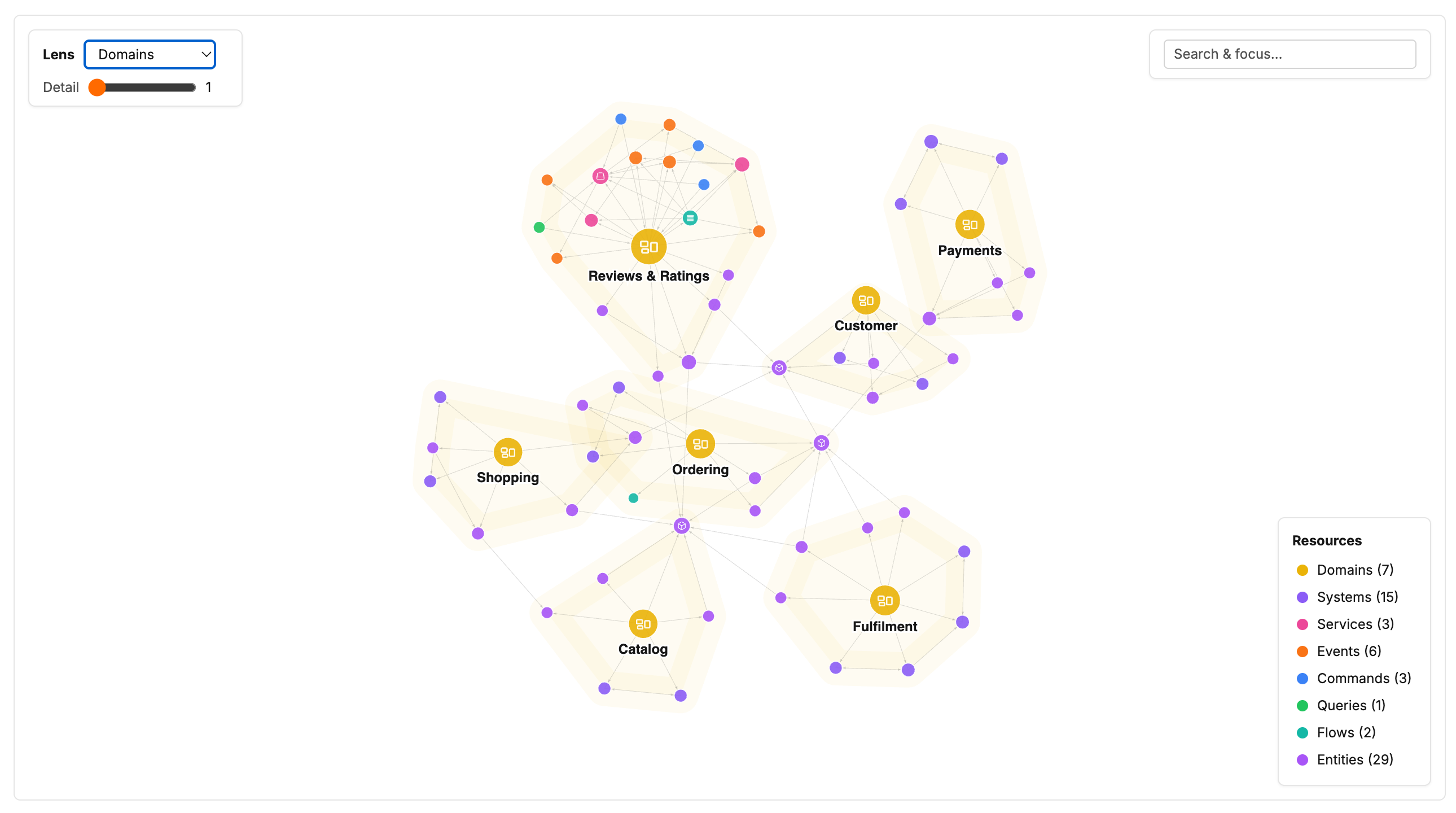
The Lens picker switches the graph between focused views: domains, systems, services, teams, and message flow, alongside the default view of every resource and relationship.
Each lens promotes a different resource to the centre of the picture. The domain lens above clusters everything by domain, while the service lens puts each service at the middle of the messages it sends and receives.
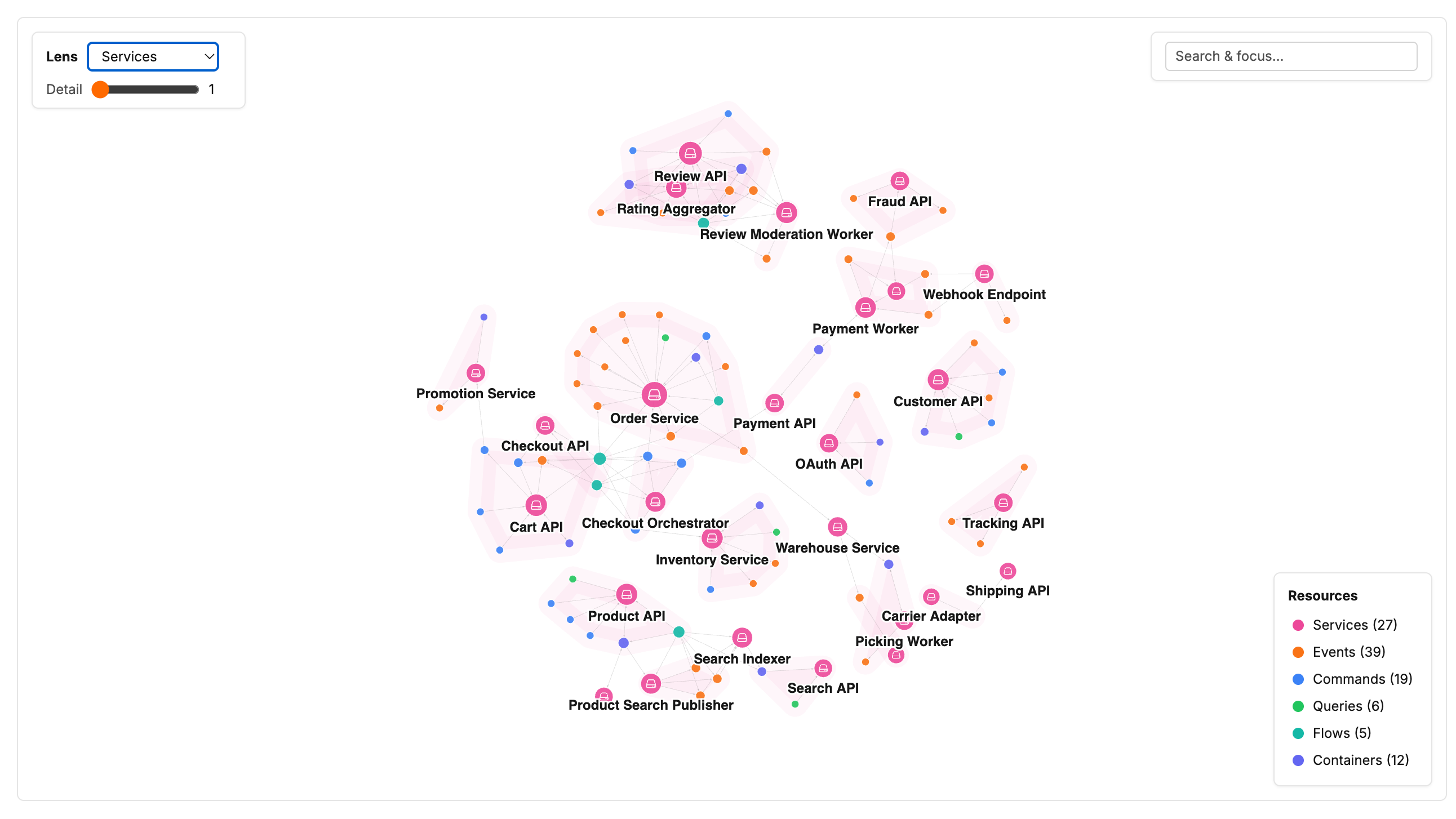
The Detail slider next to the lens controls how far out from those hubs the graph reaches. Keep it low for a readable overview, or raise it to All to pull in everything the lens can show.
Focus on one part of the architecture
Search for a resource to focus its neighbourhood, or click any node to do the same. Double-click a node to open its documentation.
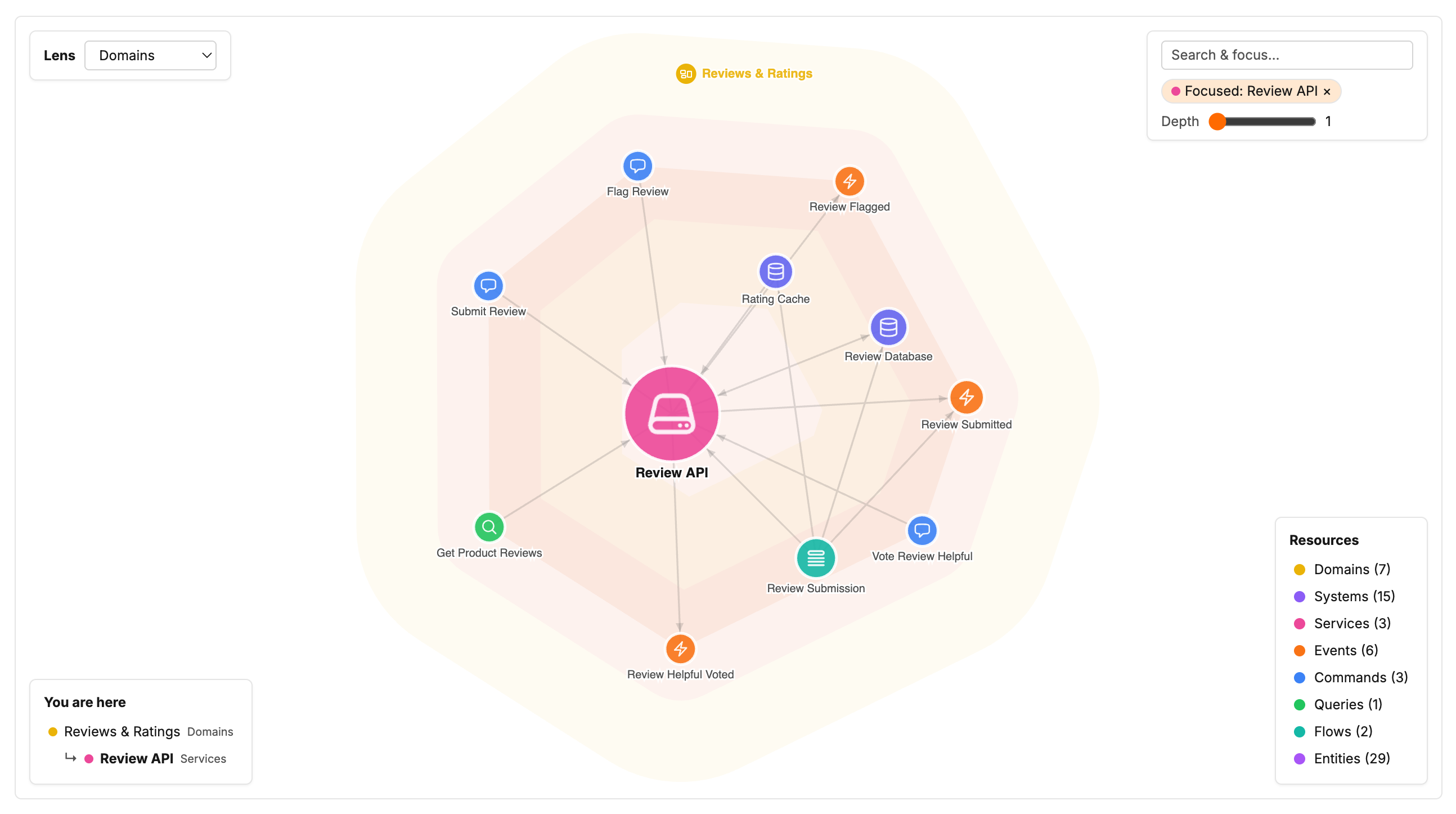
Focusing hides the rest of the catalog so you can read one resource's immediate connections. The Depth slider on the focus chip widens the neighbourhood a step at a time, and the You are here breadcrumb shows where the focused resource sits in the hierarchy. Clear the focus with the × on the chip.
Share a view
Your lens, focus, and filters are written to the URL as you interact with the graph, so you can copy the link and send teammates directly to the same view.