Install EventCatalog
In this step, you will create an empty EventCatalog project and run it locally.
In this chapter...
Here are the topics we'll cover
- Create an empty EventCatalog project from the command line.
- Review the files and folders created for a blank catalog.
- Start EventCatalog and open the empty catalog in your browser.
Create an empty catalog
Run:
npx @eventcatalog/create-eventcatalog@latest my-catalog --empty
The --empty flag creates a clean catalog without sample domains, services, or messages. This gives us a blank project to build on during the tutorial.
Project structure
After the install finishes, your empty catalog should look similar to this:
For this tutorial, most of your work will happen in new folders that you create later. You will also come back to eventcatalog.config.js when you need to change catalog configuration.
Start EventCatalog
Run commands in your new catalog directory
cd my-catalog
Run:
npm run dev
Open the local URL shown in your terminal. It is usually:
http://localhost:3000
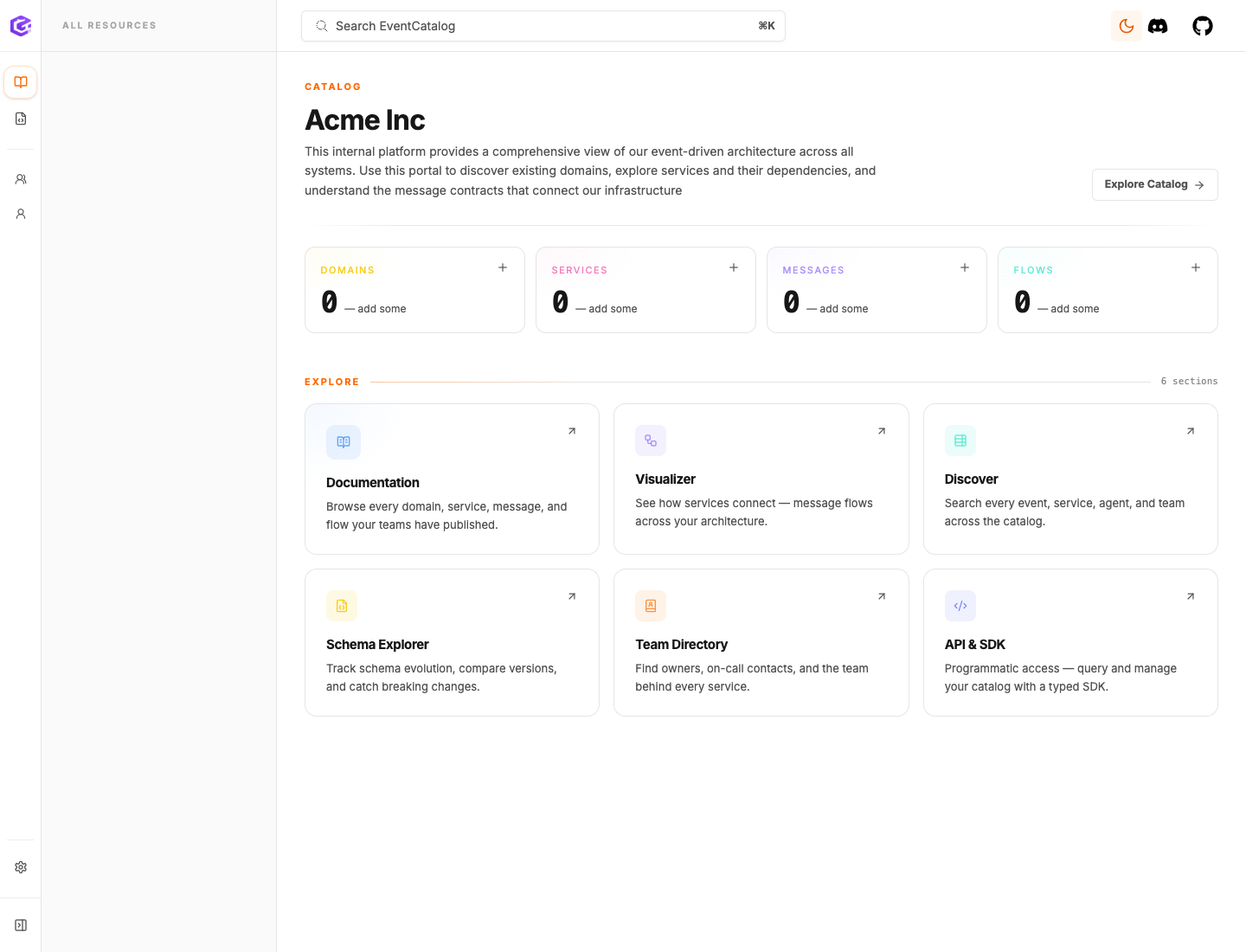
Expected result
You should see a working EventCatalog site in your browser.
The catalog will be mostly empty. That is expected. In the next steps, you will add the architecture yourself.
Next
Continue to Create a service.