Creating diagrams
eventcatalog@3.3.0Diagrams in EventCatalog are created using MDX files with frontmatter. They can be placed at the root level or nested within any resource (domains, services, events, commands, queries, or containers) for better organization.
File structure
Diagrams live in a /diagrams folder. This folder can be placed at the root level or nested within any resource:
# Root level diagrams
/diagrams/[diagram-name]/index.mdx

# Nested within any resource (domains, services, events, commands, queries, containers)
/[resource]/[resource-name]/diagrams/[diagram-name]/index.mdx
Examples:
/diagrams/system-overview/index.mdx- Root level diagram/domains/E-Commerce/diagrams/target-architecture/index.mdx- Domain diagram/services/OrderService/diagrams/api-flow/index.mdx- Service diagram
Organize diagrams close to where they're most relevant. System-wide diagrams can be placed at the root level, while resource-specific diagrams should live within that resource's folder.
Creating a diagram
To create a new diagram, create a folder with an index.mdx file. The file consists of two sections: frontmatter and markdown content.
Here is an example of a system architecture diagram:
---
id: system-overview
name: System Overview
version: 1.0.0
summary: High-level architecture showing all microservices and their interactions
---

## System Architecture

This diagram shows our microservices architecture:

\`\`\`mermaid
graph TB
    subgraph "Frontend"
        WebApp[Web Application]
        MobileApp[Mobile App]
    end

    subgraph "Backend Services"
        Gateway[API Gateway]
        OrderService[Order Service]
        PaymentService[Payment Service]
        InventoryService[Inventory Service]
    end

    subgraph "Data Layer"
        OrderDB[(Orders DB)]
        PaymentDB[(Payments DB)]
        Kafka[Event Stream]
    end

    WebApp --> Gateway
    MobileApp --> Gateway
    Gateway --> OrderService
    Gateway --> PaymentService
    OrderService --> Kafka
    PaymentService --> Kafka
    OrderService --> OrderDB
    PaymentService --> PaymentDB
\`\`\`

### Key Components

- **API Gateway**: Single entry point for all client requests
- **Order Service**: Handles order creation and management
- **Payment Service**: Processes payments and refunds
- **Event Stream**: Kafka for asynchronous communication
Frontmatter properties
Diagrams support the following frontmatter properties:
Required fields
| Field | Type | Description |
|---|---|---|
id | string | Unique identifier for the diagram (used in URLs and references) |
name | string | Display name shown in the UI |
version | string | Version of the diagram (e.g., "1.0.0") |
Optional fields
| Field | Type | Description |
|---|---|---|
summary | string | Brief description shown in listings and headers |
Adding content
The content section of your diagram file supports full MDX, allowing you to:
- Render Mermaid and PlantUML diagrams
- Embed diagrams from external tools (Miro, Lucidchart, etc.)
- Add explanatory text and documentation
- Include images and other media
- Use EventCatalog components for enhanced functionality
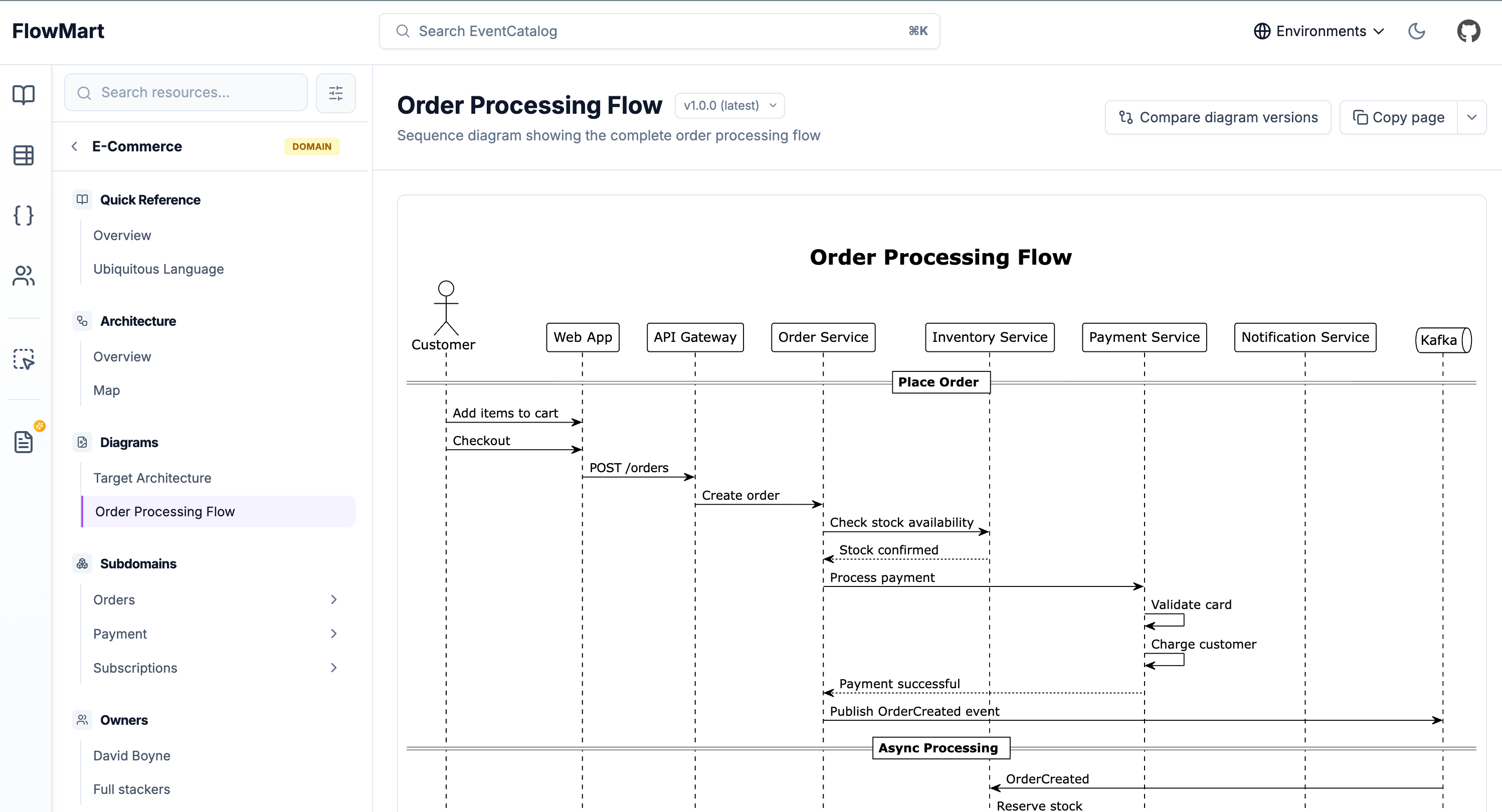
Example with PlantUML
---
id: order-flow
name: Order Processing Flow
version: 1.0.0
summary: Sequence diagram showing the complete order processing flow
---

\`\`\`plantuml
@startuml
actor Customer
participant "Order Service" as Order
participant "Payment Service" as Payment
participant "Inventory Service" as Inventory

Customer -> Order: Create Order
Order -> Inventory: Check Stock
Inventory --> Order: Stock Available
Order -> Payment: Process Payment
Payment --> Order: Payment Confirmed
Order --> Customer: Order Confirmed
@enduml
\`\`\`

## Order Processing Flow

This sequence diagram illustrates the order processing workflow:

1. Customer initiates order creation
2. Order service validates inventory availability
3. Payment is processed
4. Order confirmation is sent to customer
Example with embedded diagram
EventCatalog provides built-in components to embed diagrams from popular tools like Miro, IcePanel, Lucidchart, draw.io, and FigJam. This lets you bring your existing collaborative diagrams directly into your catalog.
---
id: architecture-overview
name: Architecture Overview
version: 1.0.0
summary: Miro board showing our system architecture and design decisions
---

<Miro embedUrl="https://miro.com/app/board/..." />

## Architecture Overview

This Miro board captures our architecture decisions and system design.
Key areas covered:

- System context
- Container architecture
- Component relationships
- Technology choices
Check out the Diagrams documentation to see all available diagram syntax and embed components including <Miro>, <IcePanel>, <Lucid>, <DrawIO>, and <FigJam>.
Next steps
Once you've created diagrams, you can:
- Reference them from resources like domains, services, and messages
- Create versioned diagrams to track architectural evolution
- Use the Scale license to compare diagram versions side-by-side