Invite editors to your organization
Use EventCatalog Cloud to manage who can use EventCatalog Editor.
The editor still runs locally on each person's machine. Cloud verifies that the person belongs to your organization and has a role that can open a local editor session.
Before you start
You need:
- An EventCatalog Cloud organization
- Admin access to that organization
- An available editor seat if you want to invite another admin or editor
If you have not created an organization yet, sign in to EventCatalog Cloud and complete the organization setup first.
Editor seats by plan
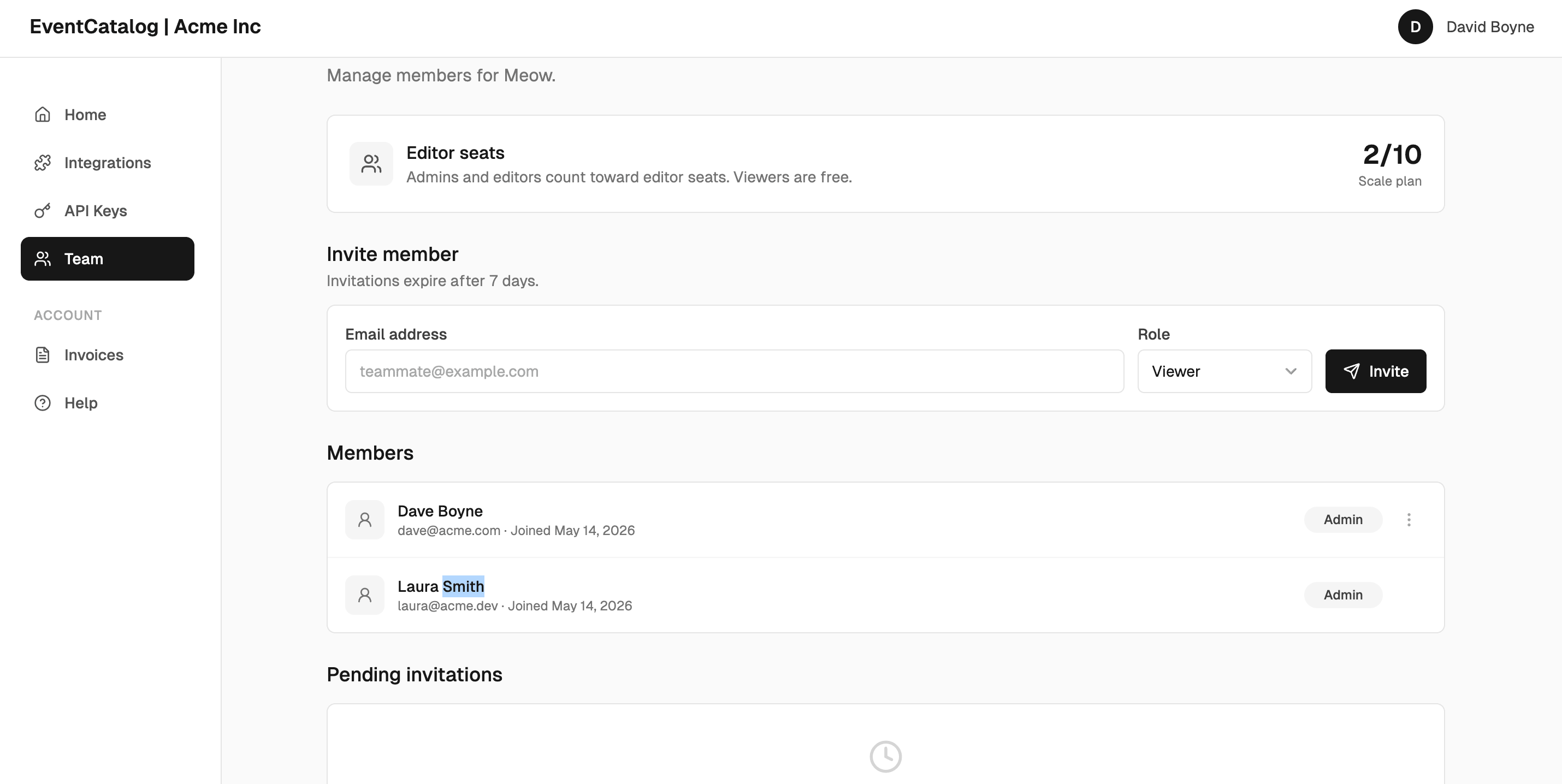
Editor seats control how many people can use EventCatalog Editor for an organization.
- Community includes 1 editor seat
- Starter includes 3 editor seats
- Scale includes 10 editor seats
- Enterprise includes unlimited editor seats
Admins and editors use editor seats. Viewers are free, but viewers cannot open a local editor session.
You can compare plans on the pricing page.
Invite a team member
- Sign in to EventCatalog Cloud.
- Open the organization you want the editor to use.
- Go to Team.
- Enter the team member's email address.
- Choose their role.
- Click Invite.
Invitations expire after 7 days.
Pending invitations for admin and editor roles count toward your editor seat usage. If you run out of editor seats, invite the person as a viewer, cancel an unused pending invitation, change an existing member's role, or upgrade your plan.
Choose the right role
- Admin can manage the organization, invite members, and use EventCatalog Editor.
- Editor can use EventCatalog Editor for the organization.
- Viewer can belong to the organization without using an editor seat.
Use Editor for most people who need to maintain catalog content. Use Admin when the person also needs to manage organization settings and team access.
What the invited person does next
After accepting the invitation, the team member can:
- Clone or open the EventCatalog project locally.
- Install catalog dependencies if needed.
- Run EventCatalog Editor locally.
- Sign in with EventCatalog Cloud when the editor asks for access.
- Choose the organization if their account belongs to more than one organization.
The editor changes their local files and gives them a Git UI to publish a local commit. It does not upload catalog source files to EventCatalog Cloud.