Documentation sidebar
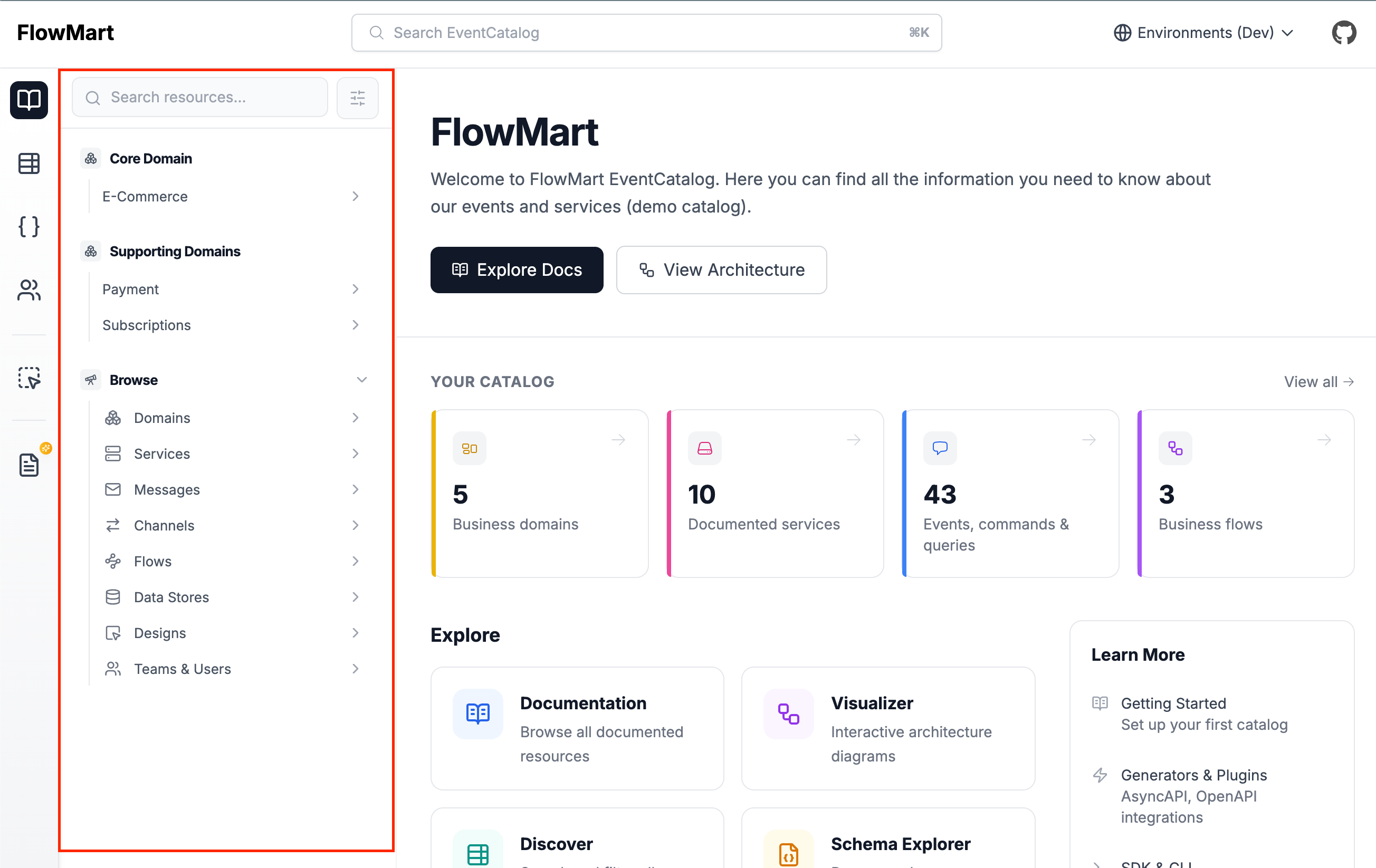
The documentation sidebar is a context aware sidebar that is shown on the /docs/ pages.
Clicking on any resource in the sidebar will show you related information to that selected resource (see demo).
What is a context aware sidebar?
Many documentation tools use a flat navigation structure, which can be overwhelming and difficult to navigate.
EventCatalog's documentation sidebar is a context aware sidebar that shows you related information to the selected resource.
This can help you navigate your documentation and find the information you need quickly, as you go deeper into the hierarchy of your architecture.
For example, selecting a domain will show you the subdomains, related services, ubiquitous language, etc, where as selecting a message will show you the producers, consumers and schemas.
Customizing the documentation sidebar
By default EventCatalog will show you a list of all the resources in your catalog, but you can customize the navigation bar to show any resource you want.
This can be useful if you want to show a specific resource or a group of resources in the sidebar, helping your teams find the information they need quickly.
How to customize the documentation sidebar
To customize the documentation sidebar you need to set the navigation.pages property in your eventcatalog.config.js file.
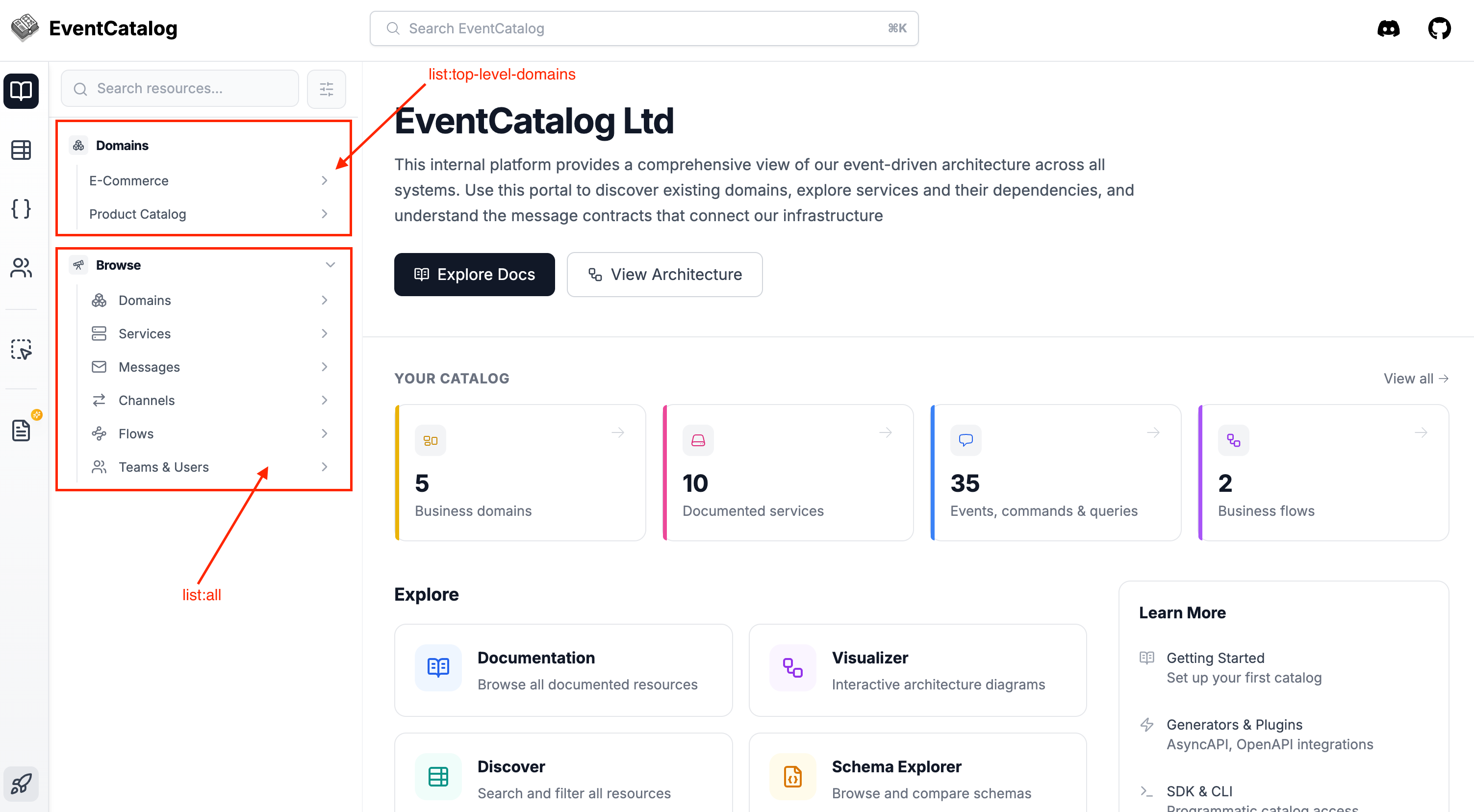
The example below will show you a list of the top-level domains and all resources in your catalog.
module.exports = {
  // ... rest of your config
  navigation: {
    // pick any key you want to show in the sidebar
    pages: ['list:top-level-domains', 'list:all'],
  },
};
Available navigation configuration
You can specify the following options in the navigation.pages property:
- Top level options
- Useful if you want to show the top-level resources in your catalog in the sidebar. For example high level domains and let your users drill down.
- List all resources (by type)
- Useful if you want to show all resources of a specific type in the sidebar. For example all domains, services, messages, etc.
- Pick specific resources to show
- Useful if you want to show a specific resource or a group of resources in the sidebar. For example a specific domain, service, message, etc.
- Custom groups and links
- Useful if you want to create custom groups and links to external pages in the sidebar. For example a group of resources, or a link to an external page.
Top level options:
| Key | Description |
|---|---|
list:all | Lists all resources types in your catalog, organized by resource type (e.g domain, services, messages) |
list:top-level-domains | Displays a list of the top-level domains in your catalog. (Does not include subdomains) |
Example
module.exports = {
  navigation: {
    pages: ['list:top-level-domains'],
  },
};
List all resources (by type):
| Key | Description |
|---|---|
list:domains | Lists all domains in your catalog. |
list:services | Lists all services in your catalog. |
list:messages | Lists all messages in your catalog. |
list:channels | Lists all channels in your catalog. |
list:designs | Lists all designs in your catalog. |
list:flows | Lists all flows in your catalog. |
list:containers | Lists all containers in your catalog. |
Example
module.exports = {
  navigation: {
    pages: ['list:domains', 'list:services'],
  },
};
Chose which resources to show:
You can specify any resource you want to show in the sidebar using the following key structure
<resource-type>:<resource-id> or <resource-type>:<resource-id>:<resource-version>
If no version is specified, the latest version will be used.
Example:
module.exports = {
  navigation: {
    // Show the MyDomain domain, MyService service and the 0.0.1 version of the MyEvent event
    pages: [
      // Show the latest version of the MyDomain domain
      'domain:MyDomain',
      // Show the latest version of the MyService service
      'service:MyService',
      // Show the 0.0.1 version of the MyMessage message
      'message:MyMessage:0.0.1',
    ],
  },
};
Available resource types:
| Resource Type | Description |
|---|---|
domain | Domain resource type. |
service | Service resource type. |
message | Message resource type. |
channel | Channel resource type. |
design | Design resource type. |
flow | Flow resource type. |
container | Container resource type. |
user | User resource type. |
team | Team resource type. |
event | Event resource type. |
command | Command resource type. |
query | Query resource type. |
Custom groups and links
You can also create custom groups and links to external pages in the sidebar.
module.exports = {
  navigation: {
    pages: [
      // Custom group
      {
        type: 'group',
        // Custom group title
        title: 'My Custom Group',
        // Custom group icon from lucide icons
        icon: 'Boxes',
        // Custom group pages
        pages: [
          // You can still reference resources, lists as you would normally do
          'domain:E-Commerce',
          // Create a custom item link to an external page
          {
            type: 'item',
            title: 'My Custom Link',
            // Custom link to an external page
            href: 'https://eventcatalog.dev',
          }
        ],
      },
      // Or have a custom item on the root (outside a group)
      {
        type: 'item',
        title: 'My Custom Item',
        href: 'https://eventcatalog.dev',
      }
      // You can still use EventCatalog lists or resources as you would normally do
      'list:all',
    ]
  },
};