Create an ADR
Architecture decision records (ADRs) capture why your team made a particular design choice and can be rendered and assigned to resources in EventCatalog.
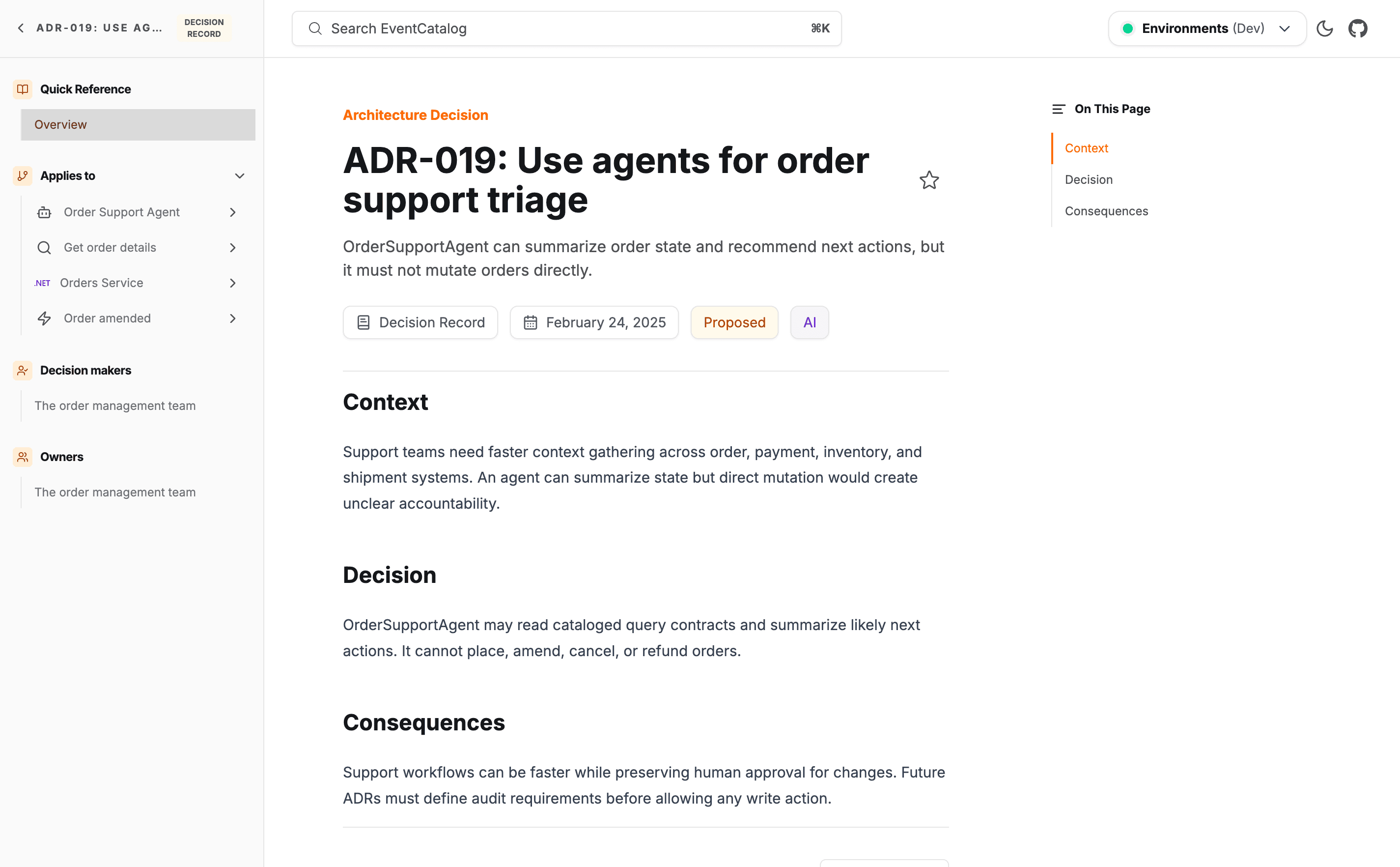
Creating an ADR
Automatic Creation
Copy this prompt and paste it into your coding agent. Your agent can help you choose where the ADR should live, create the right folder structure, and write the first draft of the decision record.
Manual Creation
ADRs live in an adrs folder. EventCatalog discovers any index.mdx file inside an adrs directory, regardless of where that directory lives in your catalog.
You can place ADRs:
At the root of your catalog:
Inside a domain:
ADRs can also live inside a system folder when the decision is specific to that system.
Create the ADR file
Create an index.mdx file for the ADR.
Here is a minimal ADR with all required fields.
---
# Unique identifier for the ADR. Used for URLs and references.
id: choose-kafka

# Display name rendered in EventCatalog.
name: Choose Kafka for domain event distribution

# Version of the ADR.
version: 1.0.0

# Current lifecycle status: proposed, accepted, rejected, deprecated, or superseded.
status: accepted

# Date the decision was made or proposed.
date: 2026-05-26
---

## Context

Services need a reliable backbone for cross-domain event distribution.

## Decision

We will use Apache Kafka as the primary event bus for inter-domain communication.

## Consequences

Teams gain reliable, ordered delivery with replay support. They also take on operational responsibility for the Kafka cluster.
Add optional fields
Enrich the ADR with owners, decision makers, links to affected resources, and badges.
---
# Unique identifier for the ADR. Used for URLs and references.
id: choose-kafka

# Display name rendered in EventCatalog.
name: Choose Kafka for domain event distribution

# Short summary shown in lists and page headers.
summary: Kafka is the primary backbone for inter-domain event distribution.

# Version of the ADR.
version: 1.0.0

# Current lifecycle status: proposed, accepted, rejected, deprecated, or superseded.
status: accepted

# Date the decision was made or proposed.
date: 2026-05-26

# Optional owners. References team or user ids.
owners:
  - platform-team

# Optional decision makers. References team or user ids.
decisionMakers:
  - architecture-board

# Optional resources affected by this decision.
appliesTo:
  - type: domain
    id: Orders
  - type: service
    id: PaymentService
  - type: event
    id: PaymentAccepted

# Optional badges rendered on the ADR page.
badges:
  - content: Messaging
    backgroundColor: blue
    textColor: blue
---

## Context

...

## Decision

...

## Consequences

...
Recommended body structure
EventCatalog does not enforce a particular body format, but the classic ADR structure works well.
Context — the situation or problem that prompted the decision.
Decision — the choice that was made and the reasoning behind it.
Consequences — what happens as a result, both positive and negative.
You can use any markdown content here including headings, tables, code blocks, and MDX components.