Create a data product
eventcatalog@3.8.0Data products document analytical datasets that transform operational (e.g databases, messages, channels) data into insights. Adding a data product helps teams understand data lineage, contracts, and consumption patterns.
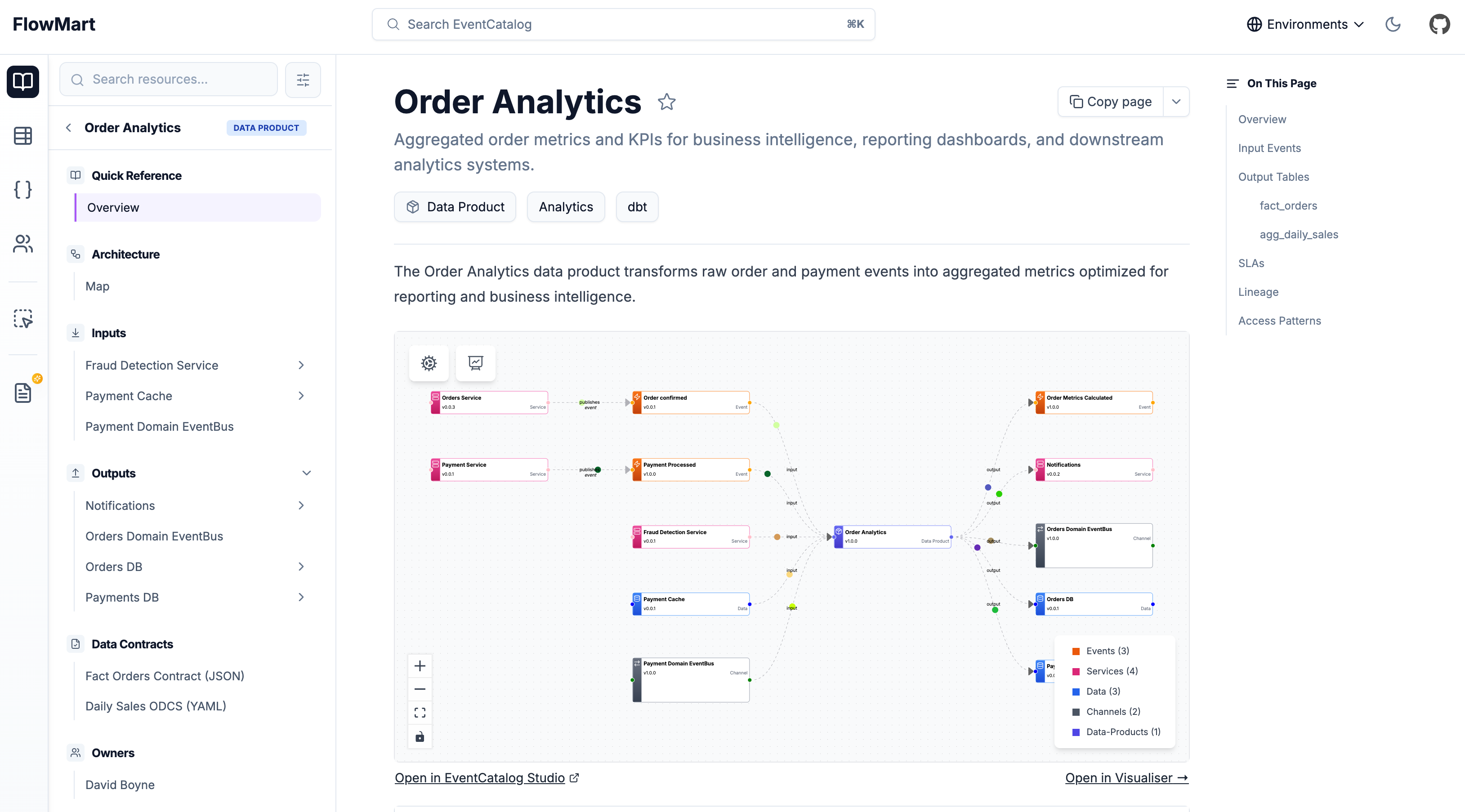
Adding a new data product
Automatic Creation
Copy this prompt and paste it into your coding agent. Your agent can help you choose where the data product should live, create the right folder structure, and add the first version of the data product documentation.
Manual Creation
Data products live in a data-products folder. EventCatalog discovers any index.mdx file inside a data-products directory, regardless of where that directory lives in your catalog.
You can place data products:
At the root of your catalog:
Inside a domain:
The contents are split into two sections: frontmatter and markdown content.
Create the data product file
Create an index.mdx file for the data product.
Here is an example data product markdown file. You can read the data product reference.
---
# Unique identifier for your data product
id: order-analytics

# Display name rendered in EventCatalog
name: Order Analytics

# Version of the data product
version: 1.0.0

# Brief summary of what this data product provides
summary: Aggregated order metrics and KPIs for business intelligence

# Optional owners (references teams or users)
owners:
  - dboyne

# Optional badges for categorization
badges:
  - content: Analytics
    backgroundColor: purple
    textColor: purple
  - content: dbt
    backgroundColor: orange
    textColor: orange

# Input dependencies (events, services, data stores)
inputs:
  - id: OrderConfirmed
    # version is optional for all inputs
    version: 1.0.0
  - id: PaymentProcessed
  - id: payment-cache

# Output data products (events, services, data stores)
outputs:
  - id: OrderMetricsCalculated
    # version is optional for all outputs
    version: 1.0.0
  - id: NotificationService
  - id: orders-db
    contract:
      path: fact-orders-contract.json
      name: Fact Orders Contract
      type: json-schema
---

## Overview

The Order Analytics data product transforms raw order and payment events into aggregated metrics optimized for reporting and business intelligence.

<NodeGraph />

Rest of your markdown....