Create a team
A team represents a group of people that owns, maintains, or can answer questions about parts of your architecture.
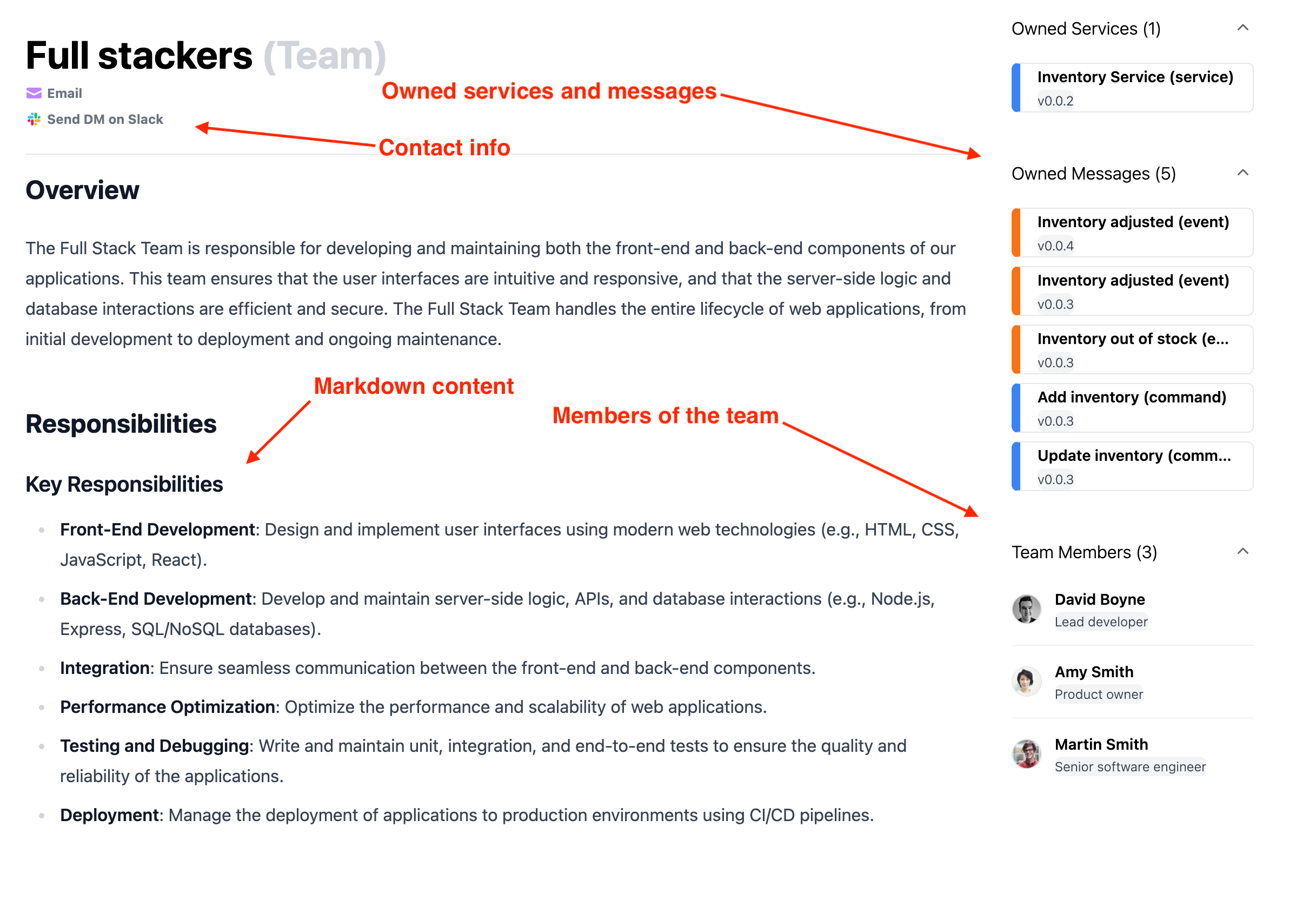
Adding a new team
Automatic Creation
AI prompt
Create a new EventCatalog team
Copy this prompt and paste it into your coding agent. Your agent can create the team file, add the right frontmatter, and optionally create user files for team members.
Manual Creation
Teams live in the /teams folder.
Create one .mdx file for each team.
Create the team file
Create a team file with frontmatter and markdown content.
/teams/payments-platform.mdx
---
# id of the team, used for references from resources
id: payments-platform

# display name for the team
name: Payments Platform

# short summary of the team
summary: Owns payment processing, refunds, and payment platform reliability.

# users that belong to the team
members:
  - dboyne
  - asmith

# optional email address to contact the team
email: payments@example.com

# optional Slack URL to contact the team
slackDirectMessageUrl: https://yourteam.slack.com/channels/payments-platform
---

## Overview

The Payments Platform team owns payment processing, refund workflows, and the operational systems that support payments across the organization.
Once the file is added, the team appears in EventCatalog and can be referenced by resources.
Add team members
Team members reference users by id. User files live in the /users folder.