What are teams & users?
Teams and users describe ownership in EventCatalog.
You can assign ownership to any resource in EventCatalog.
Teams & users can be manually created or you can sync them with your existing systems.
Teams
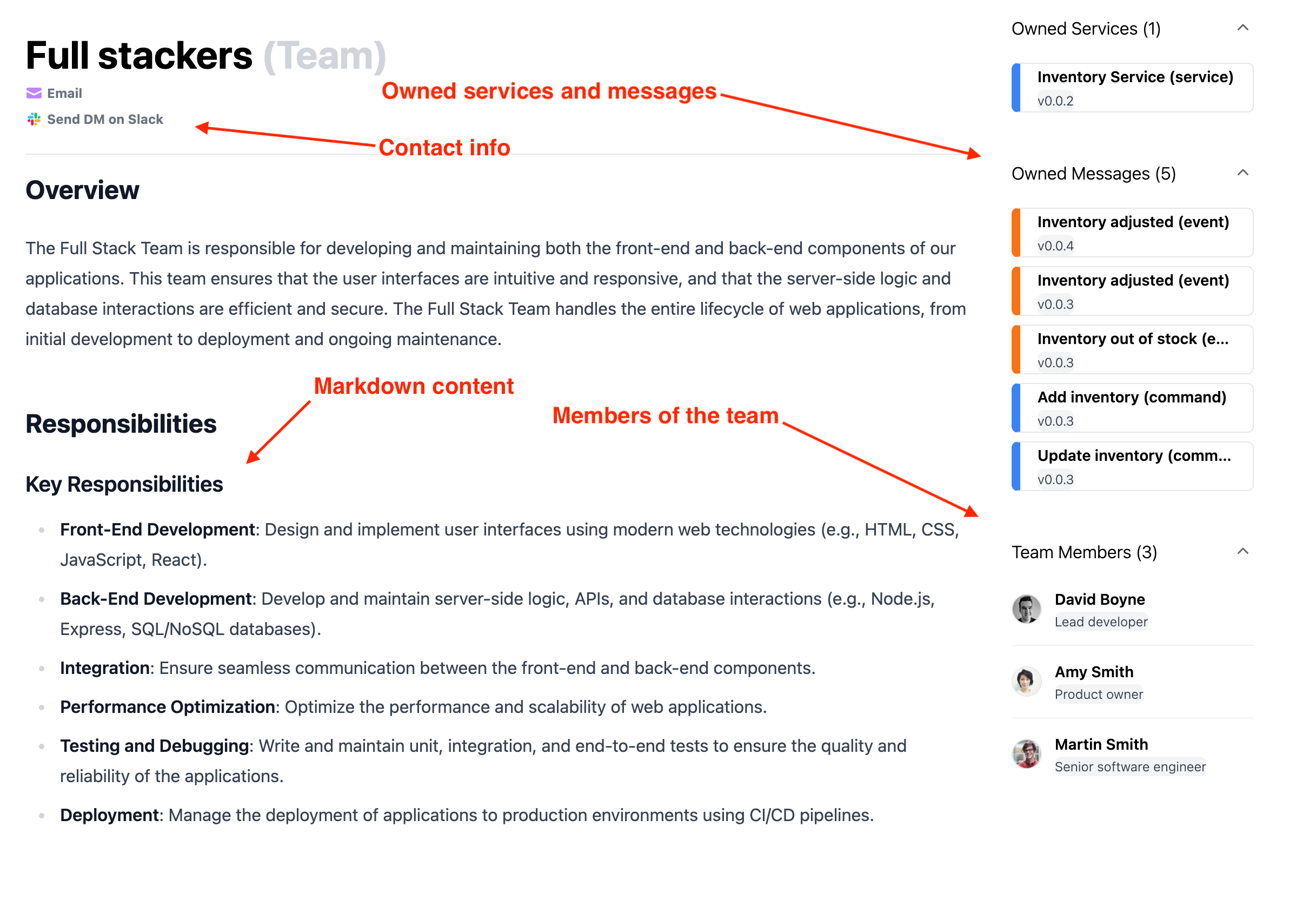
A team is a group of users. Teams are useful when ownership belongs to a platform team, product team, domain team, or operating group rather than one person.
Teams live in the /teams folder and can reference users in their frontmatter.
Users
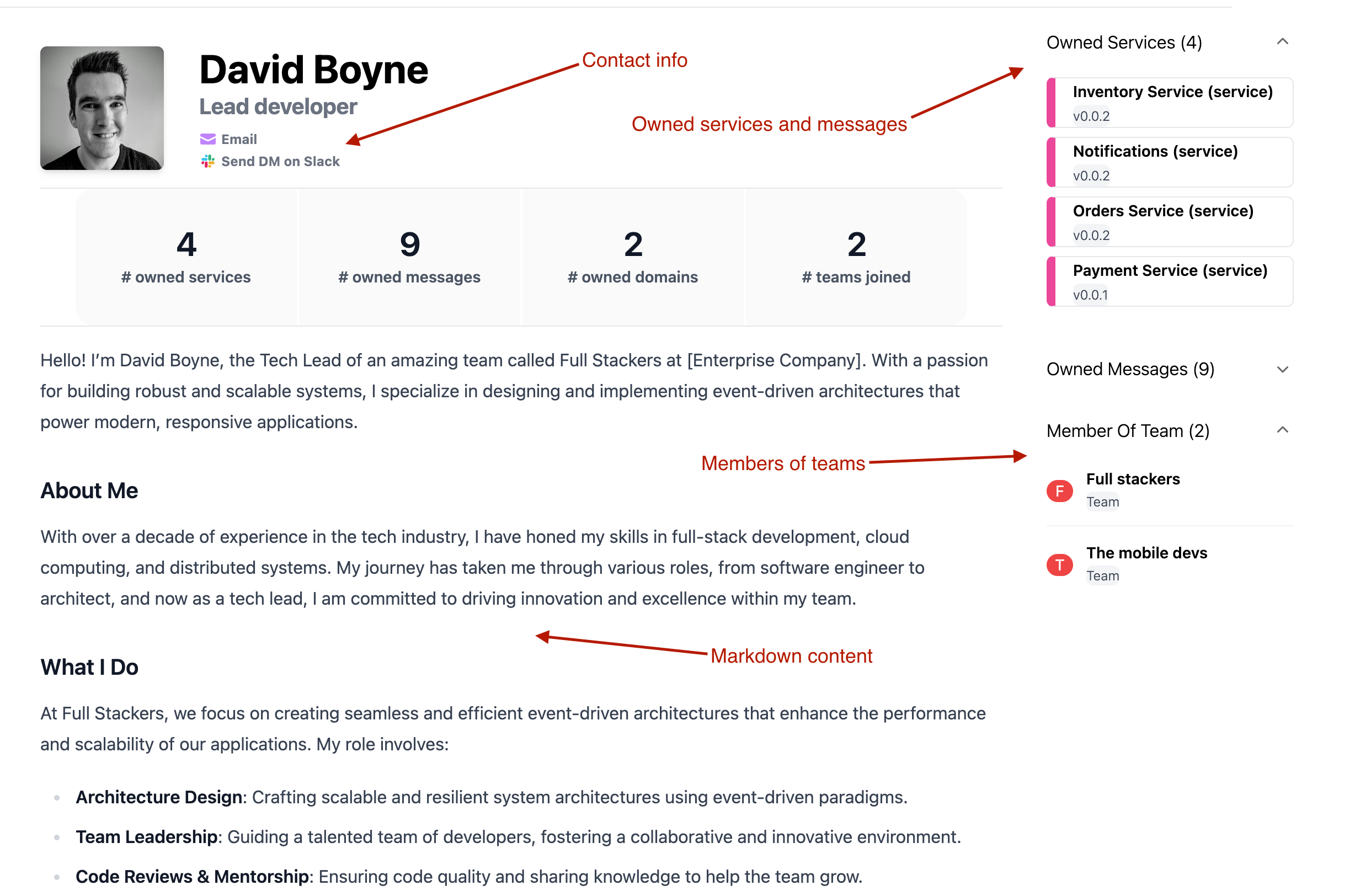
A user represents a person in your organization. Users are useful when a specific person owns, maintains, or can answer questions about a resource.
Users live in the /users folder and can be assigned directly as owners or added to teams.
How ownership works
You can assign teams and users to resources using owner fields in resource frontmatter.
For example, a domain, service, message, or agent can reference a team or user id in its owners array. EventCatalog then shows that ownership on the resource page and links back to the team or user.