Add read/write relationships
Data stores become more useful when EventCatalog knows which resources read from them and write to them.
Use writesTo when a resource stores, appends, or updates data in a data store. Use readsFrom when a resource reads, queries, or depends on data from a data store.
How relationships work
Read/write relationships are defined on the resource that uses the data store.
For example, if OrdersService writes to OrdersDatabase and reads from ProductRedisCache, add writesTo and readsFrom to the service frontmatter.
---
id: OrdersService
name: Orders Service
version: 1.0.0

# Data stores this service writes to
writesTo:
  - id: OrdersDatabase

# Data stores this service reads from
readsFrom:
  - id: ProductRedisCache
    # optional version. If omitted, EventCatalog uses the latest version.
    version: 1.0.0
---
Create the data stores
The referenced data stores still need to exist in your catalog.
The id values in readsFrom and writesTo must match the id fields in the data store frontmatter.
---
id: OrdersDatabase
name: Orders Database
version: 1.0.0
container_type: database
technology: PostgreSQL
---
---
id: ProductRedisCache
name: Product Redis Cache
version: 1.0.0
container_type: cache
technology: Redis
---
Version matching
You can provide a specific version when linking to a data store.
readsFrom:
  - id: ProductRedisCache
    version: 1.0.0
If no version is provided, EventCatalog uses the latest version.
Visualize the relationships
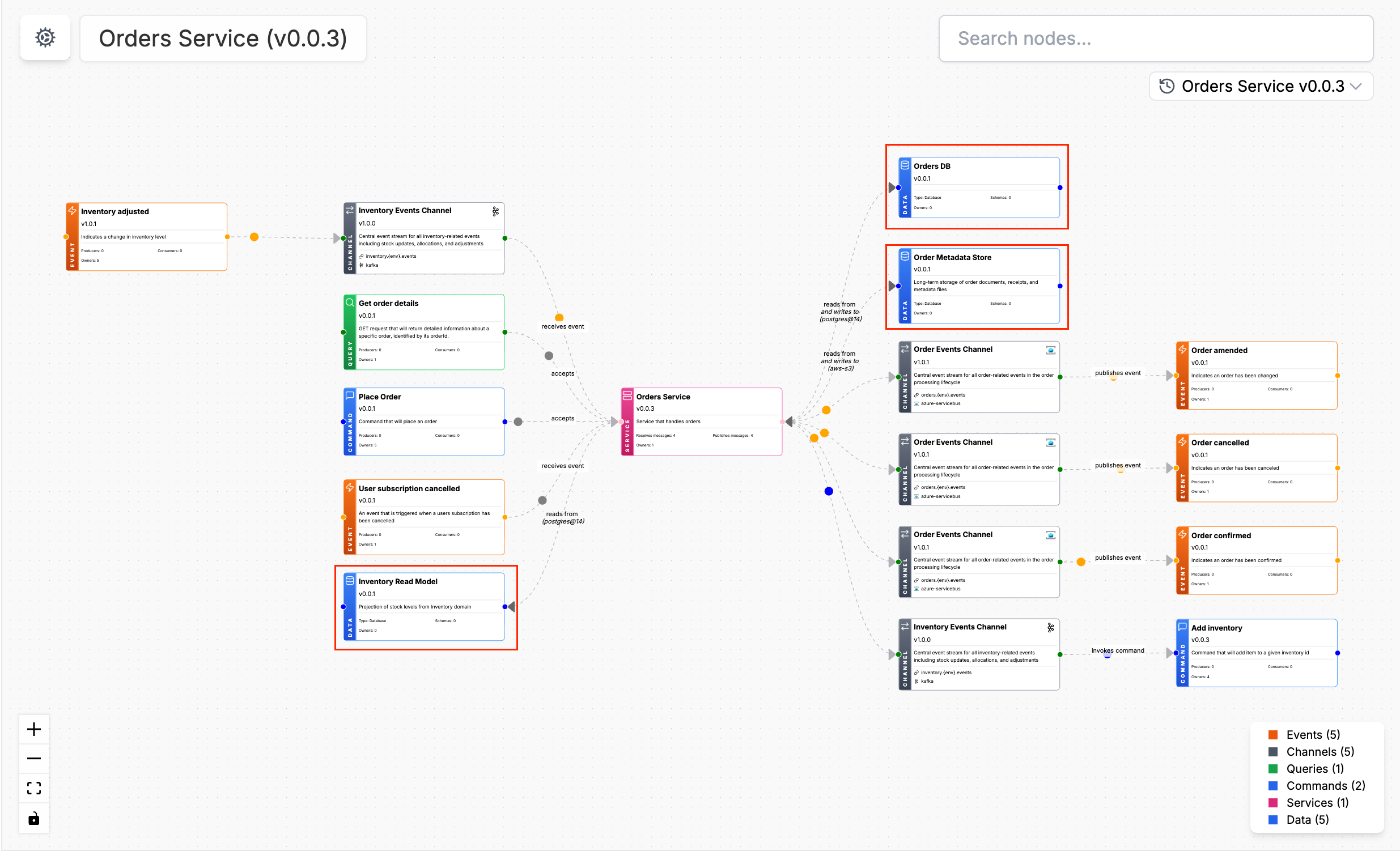
When a resource reads from or writes to a data store, EventCatalog can show that relationship in the visualiser and on resource pages.
Next steps
You can use the same relationship pattern when connecting data stores to services and agents.