Create a data store
eventcatalog@2.59.0Data stores document the databases, caches, object stores, search indexes, warehouses, and other storage systems used by your architecture.
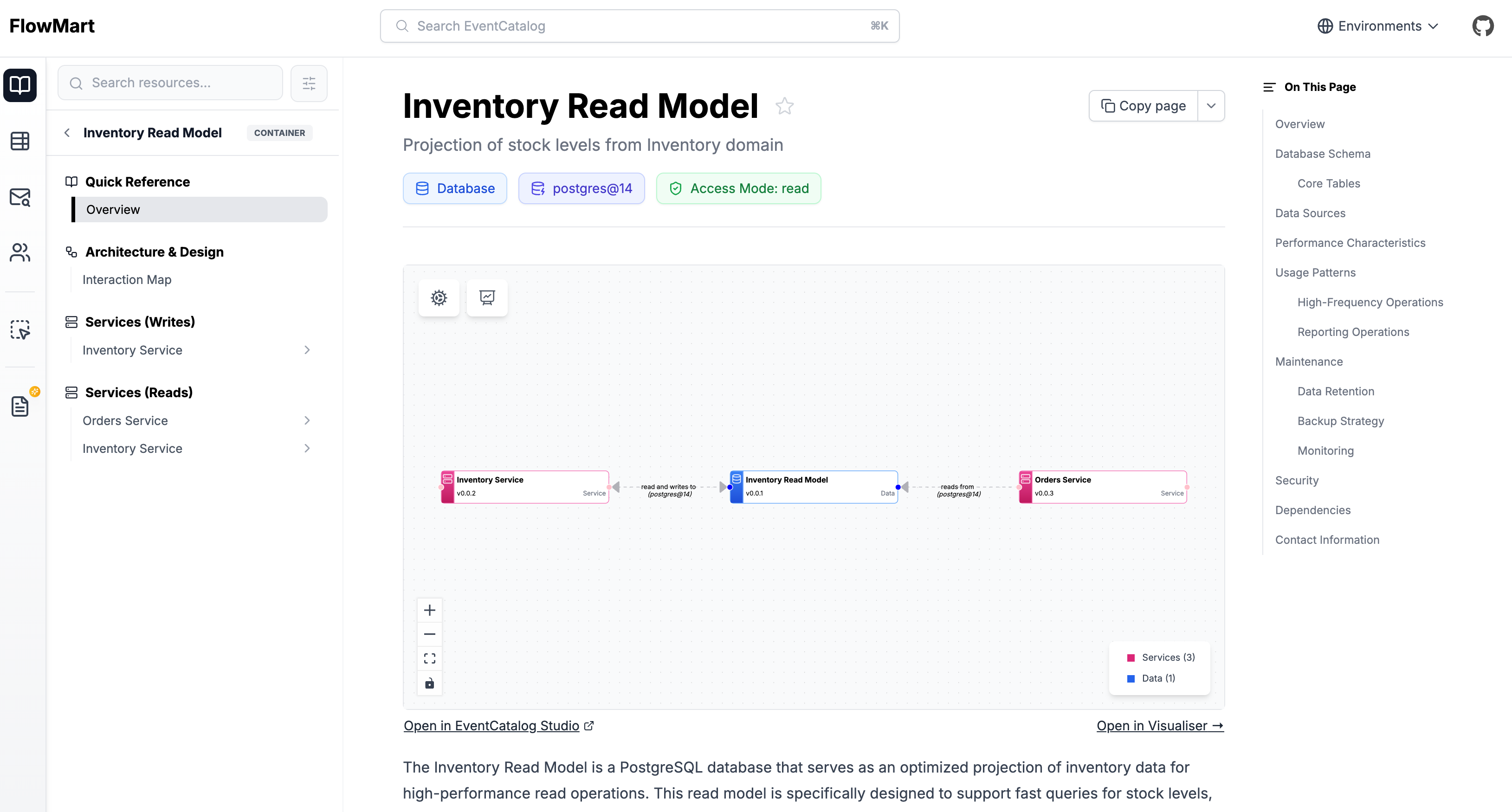
Adding a new data store
Automatic Creation
Copy this prompt and paste it into your coding agent. Your agent can help you choose where the data store should live, create the right folder structure, and add the first version of the data store documentation.
Manual Creation
Data stores live in a containers folder. EventCatalog discovers any index.mdx file inside a containers directory, regardless of where that directory lives in your catalog.
You can place data stores:
At the root of your catalog:
Inside a service:
Inside a system:
The contents are split into two sections, frontmatter and the markdown content.
Create the data store file
Create an index.mdx file for the data store.
Here is an example of what a data store markdown file may look like.
---
# id of your data store, used for slugs and references in EventCatalog.
id: orders-db
# Display name of the data store, rendered in EventCatalog.
name: Orders DB
# Version of the data store
version: 0.0.1
# Type of the data store (e.g. database, cache, objectStore, searchIndex)
container_type: database
# Technology of the data store (e.g. postgres@14, redis@7, etc)
technology: postgres@14
# Classification of the data store (e.g. internal, external, etc)
classification: internal
# Retention of the data store (e.g. 7y, 10y, etc)
retention: 7y
# Residency of the data store (e.g. eu-west-1, us-east-1, etc)
residency: eu-west-1
---

## Overview

This orders database stores all orders and order lines for the orders domain.

<NodeGraph />
Once this file is added, the data store will automatically appear across EventCatalog.
Assign read/write relationships to data stores
You can assign read/write relationships to data stores in EventCatalog. You can read more about how to do this in Add read/write relationships.