Add OpenAPI specifications
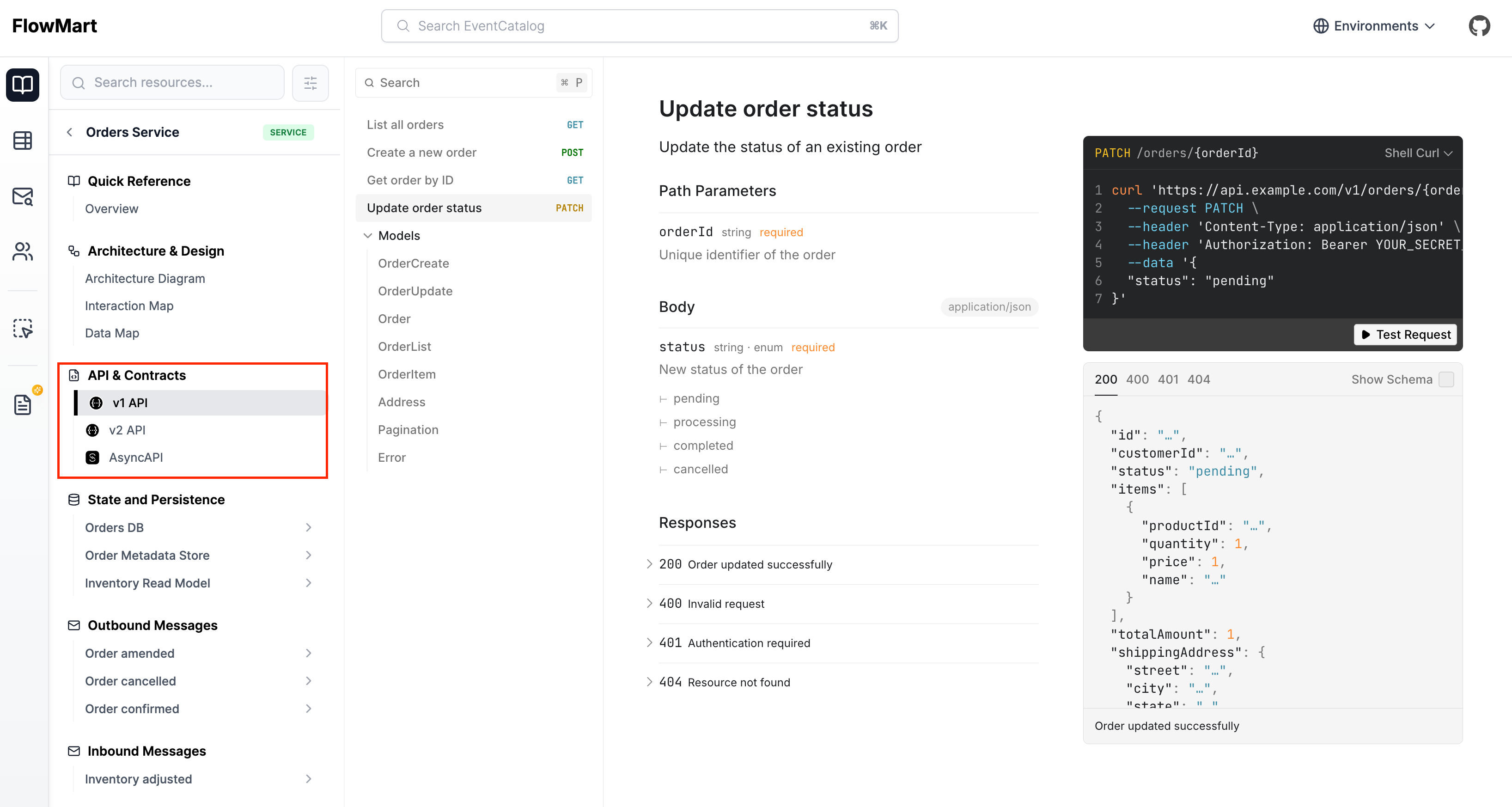
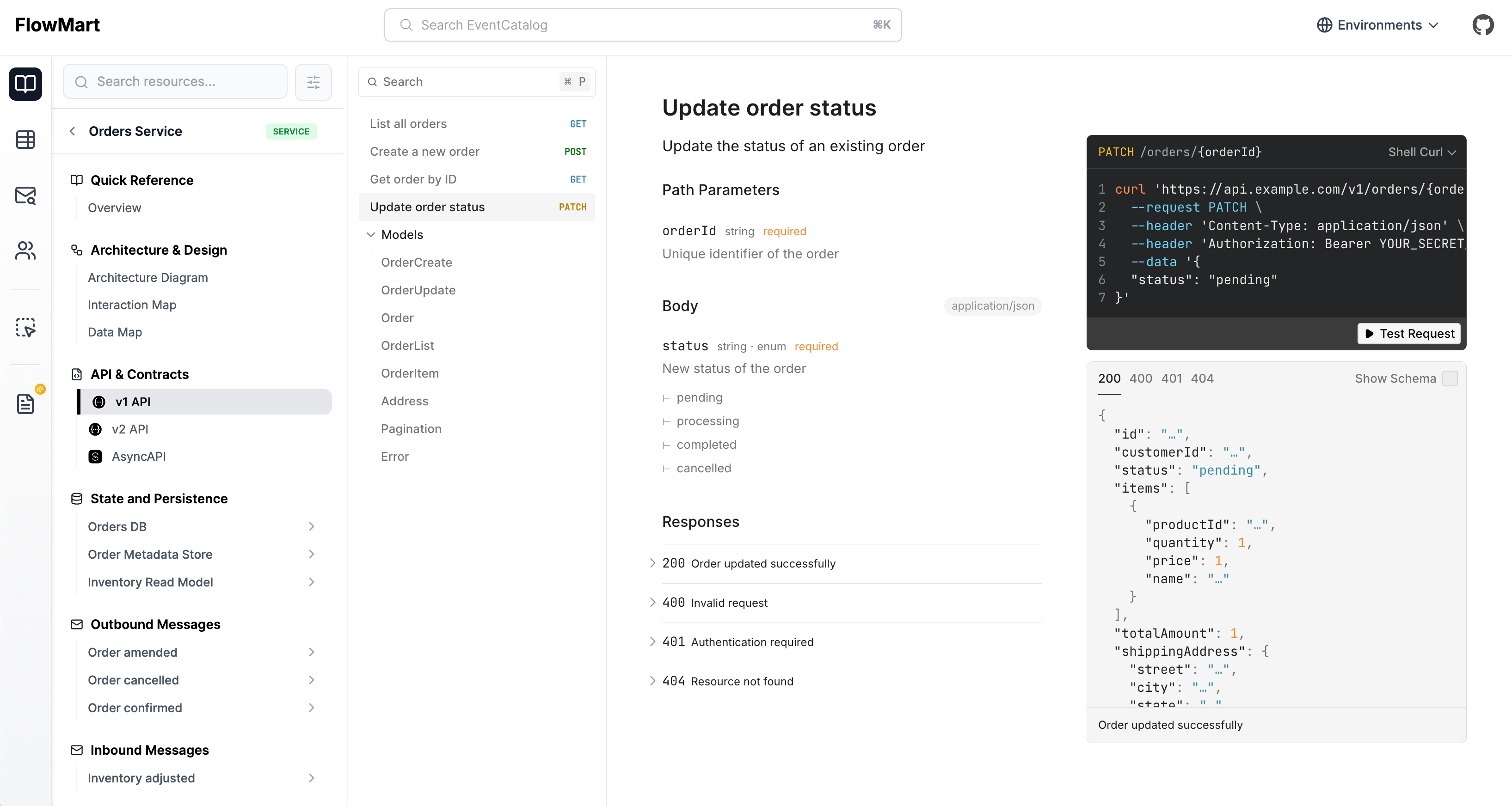
Services in EventCatalog allow you to attach one or more OpenAPI specifications to them and render them in the Catalog. (see demo).
You have two options for adding OpenAPI specifications to your service:
Did you know you can automate your documentation, visualizations and owners using your OpenAPI Files?
We have a OpenAPI plugin that can generate your catalog from your OpenAPI files, transforming your operations into commands, queries and events. You can assign these to services and domains and much more...
Adding OpenAPI files to EventCatalog
To add an OpenAPI file to your service you will need to include the file itself inside the service directory.
Then you need to reference the file in the service frontmatter.
---
  specifications:
    - type: openapi
      # Path to the OpenAPI file relative to the service directory
      path: openapi.yml
      # Friendly name for the specification
      name: OpenAPI Specification
---
Remote OpenAPI files
This can be useful if you want to keep your OpenAPI files in a remote repository and render them in EventCatalog.
The pages will be built at build time, so the URL needs to be accessible by the build machine.
If your specifications changes you need to rebuild your EventCatalog as the pages are built at build time.
---
  specifications:
    - type: openapi
      # Path to the OpenAPI file from a remote URL (accessible by the build machine)
      path: https://raw.githubusercontent.com/event-catalog/generator-openapi/refs/heads/main/examples/product-api/openapi.yml
      # Friendly name for the specification
      name: Product API
---
Multiple OpenAPI Files
If your service exposes multiple APIs or versions of the same API, you can assign multiple OpenAPI files to a single service.
---
  # rest of service frontmatter...
  specifications:
    - type: openapi
      path: openapi-v1.yml
      name: v1
    - type: openapi
      path: openapi-v2.yml
      name: v2
---
This will render a list of specification files on your service page and navigation bar.