Introducing Data Stores with EventCatalog

I'm excited to share that EventCatalog 2.59.0 is now out, and introduces the new resource type Data Stores.
You can now document your data stores (e.g. databases, caches, objectStore, searchIndexes, etc) in EventCatalog, visualize them, version them, assign owners and much more. (see example in EventCatalog demo)
In this blog post I want to go over the new data store resource, what it is, how to use it, and how to get started.
What are data stores?
Data stores (containers) are a way to document data in your architecture (e.g. databases, caches, objectStore, searchIndexes, etc).
Using the new data store resource you can document and visualize your data in your architecture, and how your services read/write to them.
This can help your teams understand how your services interact with data in your architecture.
Rather than creating a new data resource directly, we choose to call these containers. This follows the C4 naming convention for containers (not docker containers!) in your architecture.
You can read more about the C4 model here.
What do data stores look like in EventCatalog?
Data stores are like any other resource type in EventCatalog. You define them with markdown and frontmatter. When you define your data store they are given their own page in your catalog.
Like any other resource type in EventCatalog, you can visualize them, assign schemas to them, version them, and more.
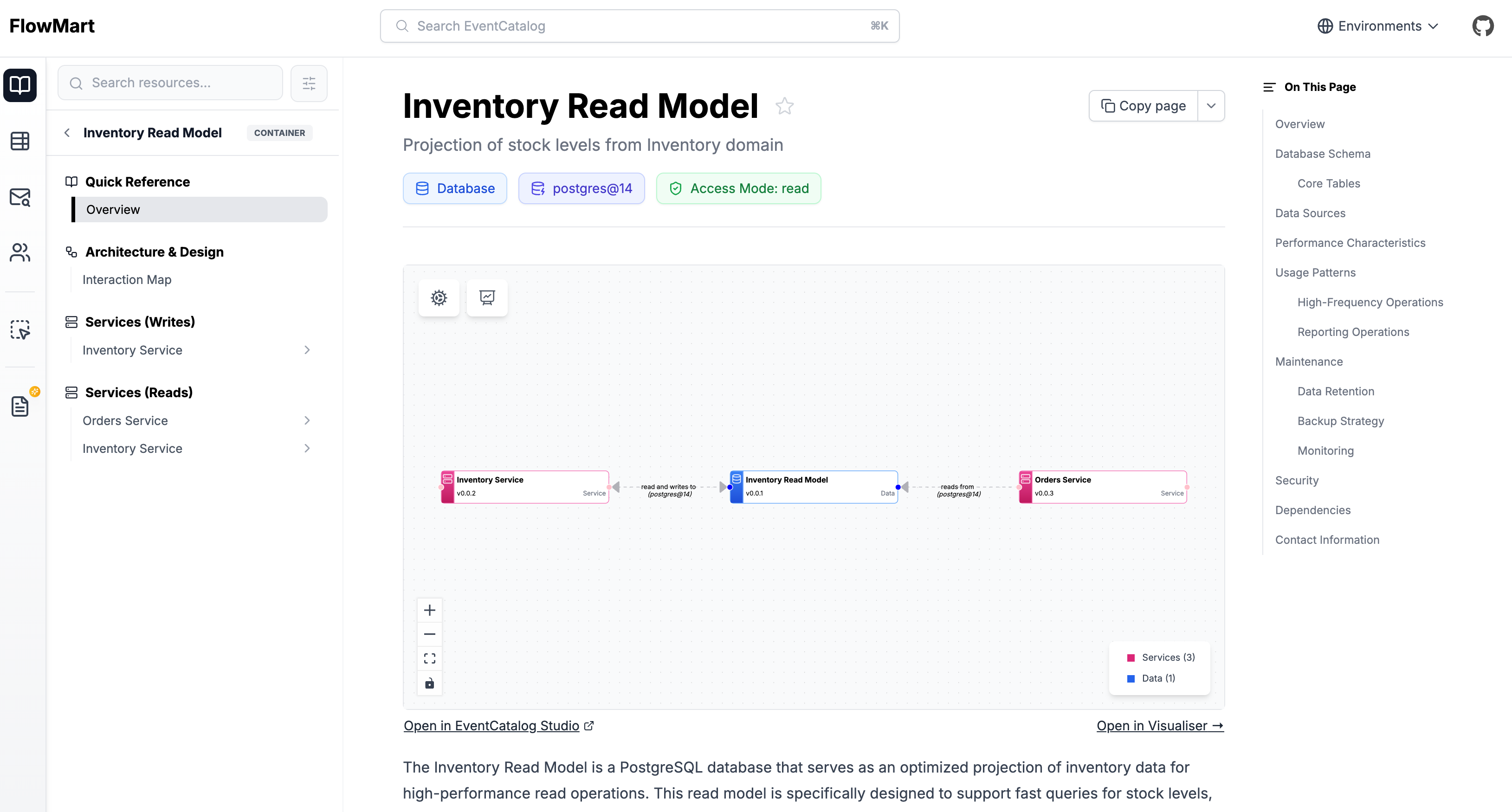
You can see an example of a data store in the EventCatalog demo.
Using the new data store resource you can document databases, caches, object stores, search indexes, and more, assign schemas to them and create read/write relationships with your services.
Connecting services to data stores
Services are a core resource type in EventCatalog. The tend to represent services, business logic, applications, or systems in your architecture.
You can now use the new writesTo and readsFrom fields in your service frontmatter to connect your services to data stores.
This creates relationships between your services and data stores, helping your teams understand how your services interact with data in your architecture.
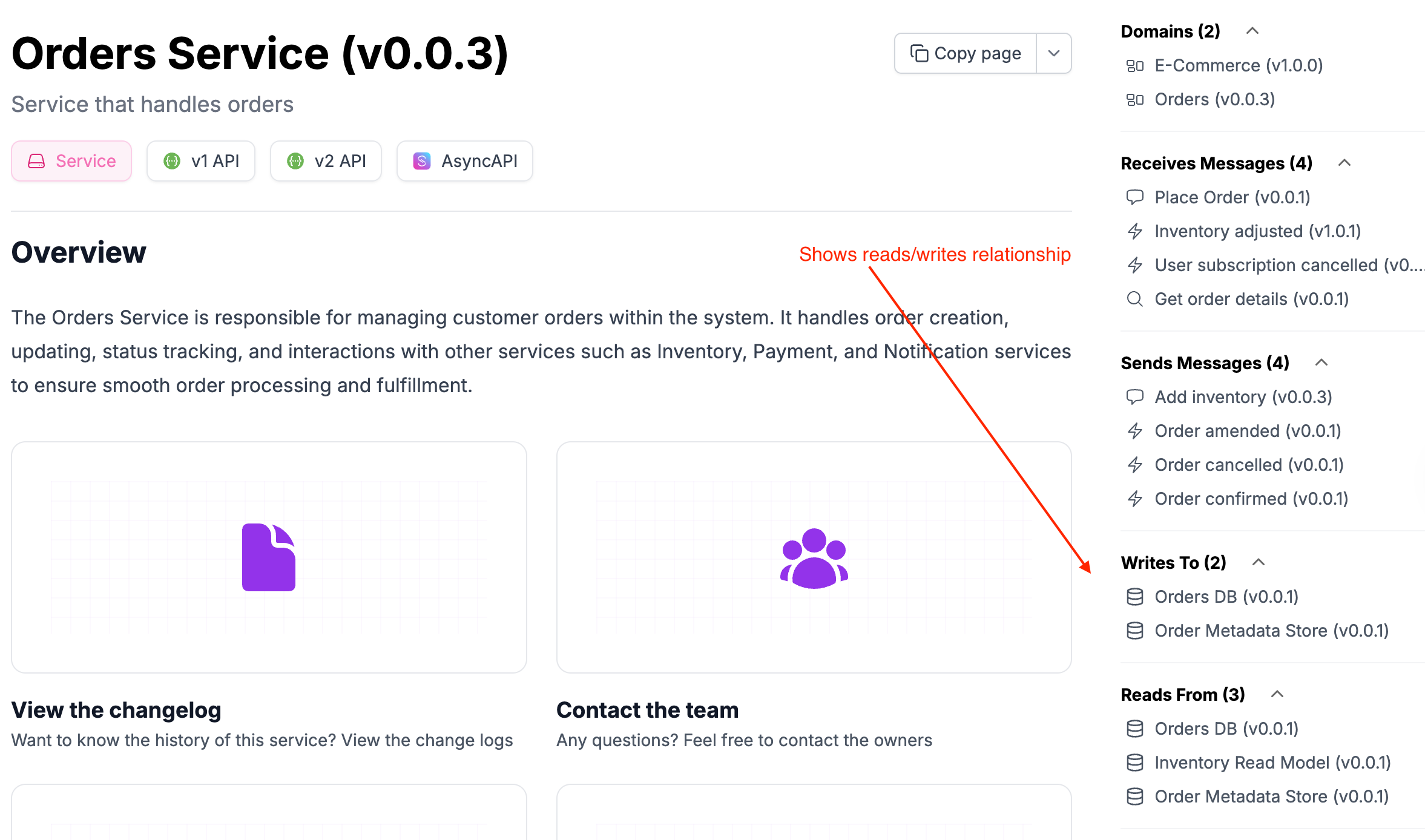
Visualizing data stores
The EventCatalog visualizer has been updated to display data stores.
There are two ways to view your data stores in EventCatalog.
- Services Data Diagram
- Shows which data stores (read/write) are connected to a given service.
- Data Store Diagram
- Shows all the services that are reading/writing to that data store.
Services Data Diagram
When you assign services to read/write to data stores, EventCatalog will show a Data Diagram section in the visualizer for your service.
Clicking on this will show you a diagram of the data stores that the service is reading/writing to.
This can help your teams quickly understand which data stores are read/written to by a given service. Users can right click on any node to display the data store information.
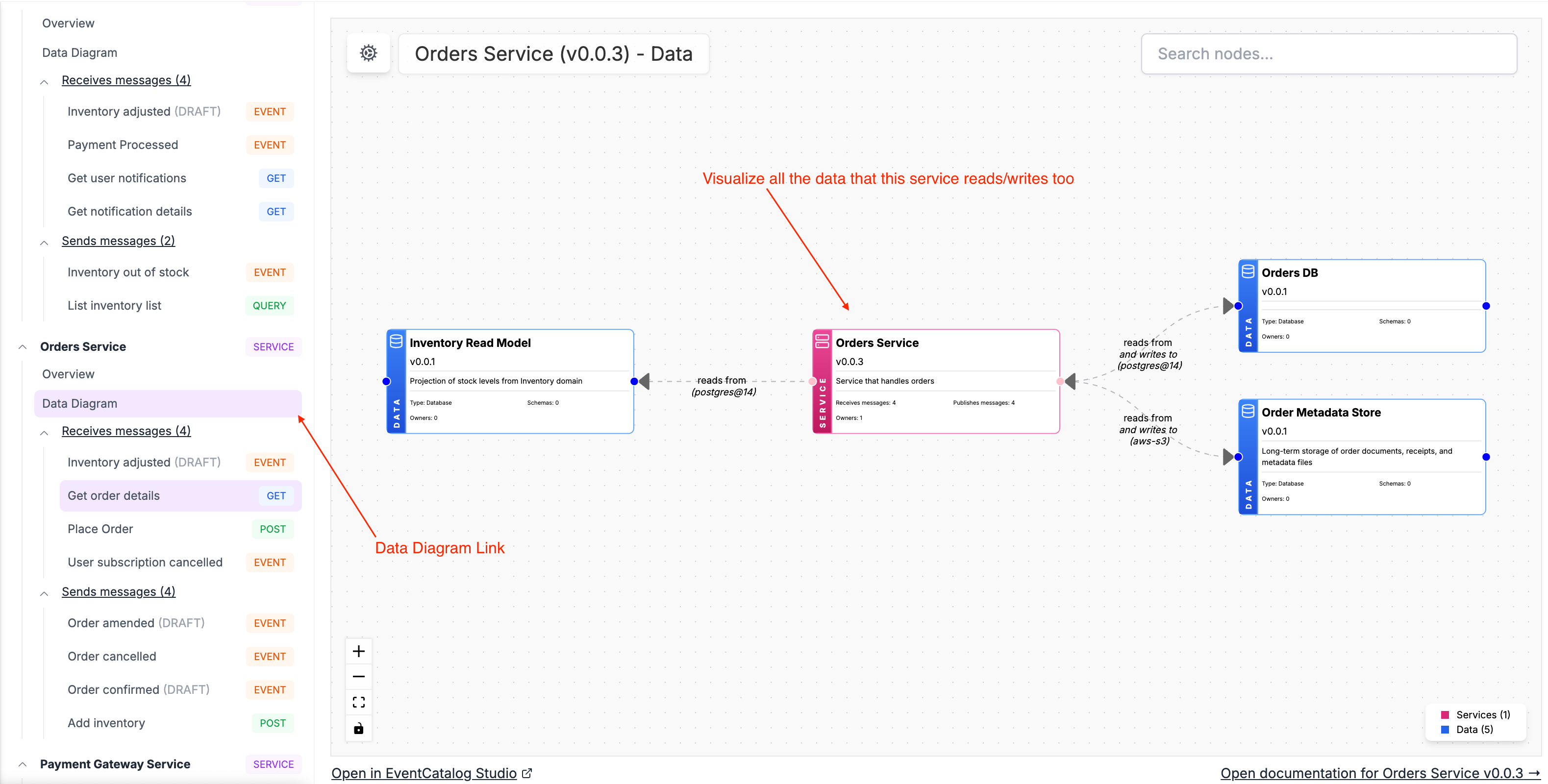
You can see an example of this in the EventCatalog demo.
Data Store Diagram
Clicking on the data store itself will show you all the services that are reading/writing to that data store.
This view is helpful for understanding which services are reading/writing to a given data store.
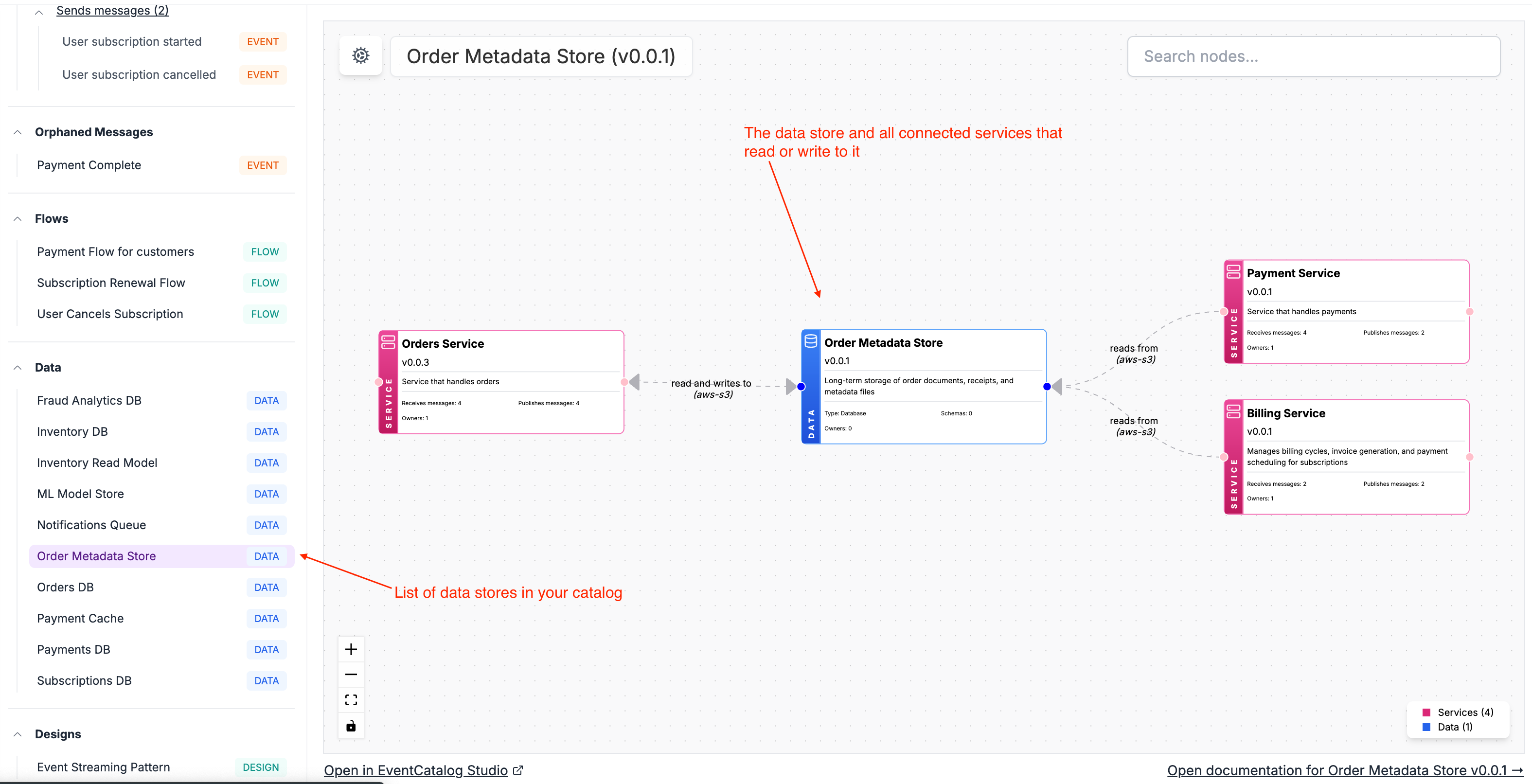
You can see an example of this in the EventCatalog demo.
Rendering schemas for data stores
As EventCatalog is technically agnostic, you can render any schema format you want in your data store page.
To do this you can add codeblocks to your markdown files or use the <Schema/> component to render any file into the page.
<Schema file="schema.sql" lang="sql" title="Users Table" />
You can learn more you can read the adding schemas to data stores documentation.
Getting started
To get started you can read the data store documentation and upgrade to the latest version of EventCatalog.
You can also check out the EventCatalog demo to see an example of a data store in EventCatalog.
Summary
Today we have introduced the new data store resource to EventCatalog, allowing you to document and visualize your data stores in your architecture.
You can now assign services to read/write to data stores, visualize them, version them, assign owners and much more. (see example in EventCatalog demo)
We hope you find this new resource helpful in your architecture.
In the new couple of weeks we will release EventCatalog SDK support for data stores, to help you programmatically create and manage data stores in your catalog.
If you have any feedback or questions, please feel free to reach out to us on GitHub or Discord.